AI Bots with root: Per-Sender Permissions with a Hook

The permissions I grant should depend on who gives the instruction, not which tool is used. A static deny list cannot answer the first question, so I moved the decision into testable code.
1-minute summary
- Symptom / problem
- A secretary bot running Claude CLI has high privileges but its senders have different trust levels, and a static deny list treats everyone the same
- Who should read
- People running an AI bot on a real machine with senders of different privilege
- Fix in short
- Write one PreToolUse hook that reads the sender level from environment variables and files the model cannot write, with three levels and a regression suite that tests both directions.
An assistant bot I built for a client's website runs Claude CLI on the same machine as the website. It needs to perform several tasks that require high privileges on that machine, including sudo, systemctl, artisan, and clearing caches. The problem is that different people give the bot instructions: developers through Telegram, the business owner through the admin page, and customers through chat. I first tried configuring a deny list in Claude's settings and found that it could only apply the same rules to everyone. If I made it strict enough to be safe for customers, developers could not get their work done. If I made it loose enough for developers to work, customers received more privileges than they should. This article explains how I addressed that.
The rules, filenames, and examples in this article are made up to illustrate the approach. Do not copy them into a production system as a security boundary without testing them yourself, and granting a bot high privileges on a real machine should be reviewed by whoever is responsible for that system's security.
Why a static deny list is not enough
The deny list in settings is a list of commands or paths that cannot be used. It decides based only on the command text, without knowing who is giving the instruction at the other end, and it makes complex conditions such as "do not read secret files, even through wildcard tricks" very difficult to express.
One set for everyone
Easy to write, but it cannot adapt to the sender and only matches literal text. It cannot include logic such as expanding globs or parsing chained commands. Automated testing is difficult too.
Code that decides by level
A program Claude calls before every tool use. It reads the permission level for the current turn and selects the rules. The logic can be written as pure functions, so every case can be tested.
I moved all the decisions into a single hook, written entirely with Python's standard library and run with the system's python3, with nothing extra to install. The hook reads JSON from stdin. If a rule matches, it prints deny with a reason; if the request passes, it prints nothing and exits with 0. I separated the actual logic into a function, check(tool_name, tool_input, cwd, home), that returns a rejection reason or None, so tests can call it directly without starting a process.
{
  "hooks": {
    "PreToolUse": [
      {
        "matcher": "Bash|Edit|Write|Read|Grep|Glob",
        "hooks": [
          { "type": "command",
            "command": "python3 -I \"$CLAUDE_PROJECT_DIR/.claude/hooks/guard.py\"" }
        ]
      }
    ]
  }
}
Three levels
I split permissions into three levels, set by the bot before every turn.
The dev level has no guard at all, so developers I trust can do their work. The owner level is the default when no level file exists. It can manage the website and the entire machine, including sudo, systemctl, apt, curl, and git, but cannot touch other machines on the internal network, secrets, the guard itself, or the bot's state, and cannot stop or kill the bot. The strict level uses the original, strictest rules.

The level must come from something the session cannot change
This is the most important part of the system. If the level comes from something the model can change itself, the system is meaningless, because a model tricked into escalating its own privileges can simply rewrite the level file. I did two things to address this. First, the bot writes the level file before every turn, and that file and all of the bot's state are protected from writes at every level. The session cannot write to them. Second, the Claude process's environment variables (PERM_LEVEL together with PERM_CHANNEL, which identifies the channel the instruction came from) are set by the bot when it creates the process, not by the session, and they "override" the level file. As a result, a customer-facing turn can never run at dev level, even if the file is modified.
import os

LEVELS = ("dev", "owner", "strict")

def get_level(env: dict, state_file: str) -> str:
    lv = env.get("PERM_LEVEL")
    if lv in LEVELS:                    # 1 ตัวแปรแวดล้อมของ process ชนะทุกอย่าง
        return lv
    try:
        with open(state_file, encoding="utf-8") as f:
            lv = f.read().strip()
    except OSError:
        return "owner"                  # 3 ไม่มีไฟล์ = ค่าปริยาย owner
    return lv if lv in LEVELS else "strict"   # ค่าแปลก ๆ ให้เข้มสุด (ตัวอย่างของผม)
A related issue is restarting itself. A turn receiving instructions from a channel cannot restart the bot directly. If a restart is needed, it must request one through the request_restart tool, and the bot will restart after that turn ends. Otherwise, a session that has been tricked could shut the bot down halfway through its work.
What the hook blocks, by tool
I split the rules by tool type because each tool presents different risks.
| Tool | What is checked |
|---|---|
| Bash | Prohibited programs appearing anywhere in the command text (after a pipe, inside $(...), or in bash -c '...'), internal addresses/other machines in the system, /dev/tcp, reading secret files, writing bot state, recursive rm on important directories |
| Edit / Write | Bot code and state, key directories, all .env files, /etc ; scripts written to disk are checked like Bash |
| Read / Grep / Glob | Block secret files, key directories, and CLI login files |
The point I emphasize is "appearing anywhere in the command text," because checking only the first word is easy to bypass by chaining commands, putting them inside $(...), or wrapping them in bash -c. Scripts the model writes to disk and then runs must also have their contents checked just like commands entered directly.
A wildcard bypass I found and fixed
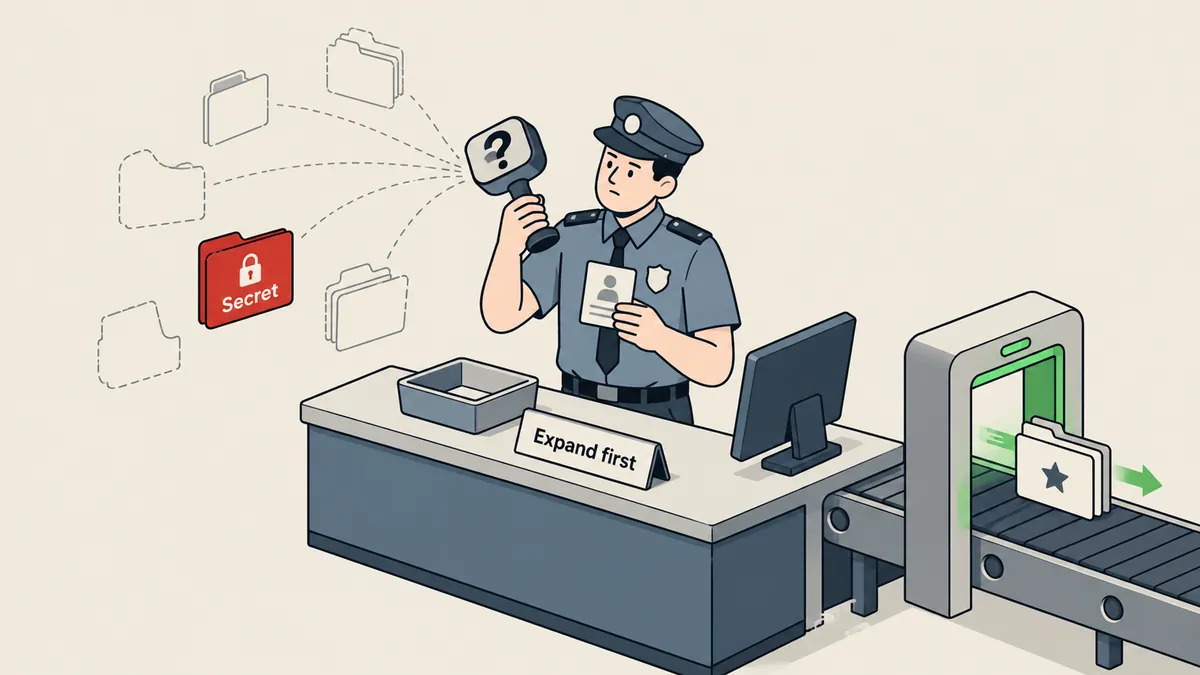
One bypass I found and have since fixed was that cat .en? could read a secret file. The first version of the guard compared names literally, and ".en?" did not exactly match any secret filename. But when the shell expanded ? into one character, it matched a secret file. The guard saw one piece of text, while the shell ran something else.
I fixed this by having the guard expand wildcards itself with glob before deciding (recursively, taking only the first 200 entries to avoid hanging). It rejects the request if an expanded entry has a secret filename, or if the pattern could match a secret filename. Ordinary wildcards such as *.php remain allowed; otherwise, normal work would be impossible.
import fnmatch, glob, os

SECRET_NAMES = [".env", ".env.*", "id_rsa", "id_ed25519", "authorized_keys"]   # ตัวอย่าง

def is_secret(name: str) -> bool:
    base = os.path.basename(name)
    return any(fnmatch.fnmatch(base, s) for s in SECRET_NAMES)

def wildcard_hits_secret(token: str, cwd: str) -> bool:
    if not any(c in token for c in "*?["):
        return is_secret(token)                          # ไม่มี wildcard เทียบชื่อตรง ๆ
    hits = glob.glob(os.path.join(cwd, token), recursive=True)[:200]
    if any(is_secret(h) for h in hits):
        return True                                      # ขยายแล้วได้ไฟล์ลับ
    pat = os.path.basename(token)
    return any(fnmatch.fnmatch(s, pat) for s in SECRET_NAMES)   # pattern อาจชนชื่อลับ
This taught me that checking command text and checking what a command will actually do are two different things. Other bypasses of the same kind still exist. Whenever I find a new bypass, I write a test first, then fix the guard.
A test suite to prevent regressions in both directions
Because check is a pure function, tests are easy to write. I have a main guard test suite and a separate allowlist test suite. The latter has a specific job: making sure commands needed for normal work still pass. Otherwise, as the rules get stricter, the bot could become unusable without anyone noticing. I also have tests for another hook used alongside it, the claim hook (covered in the article on multiple AIs editing a website at the same time).
import pytest, guard

CWD, HOME = "/srv/app", "/home/webuser"

@pytest.fixture(autouse=True)
def strict(monkeypatch):
    monkeypatch.setenv("PERM_LEVEL", "strict")

@pytest.mark.parametrize("cmd", [
    "cat .env",
    "cat .en?",                     # ช่อง wildcard
    "cat .e*",
    "bash -c 'cat ~/.ssh/id_ed25519'",
    "ls && cat $(echo .env)",
])
def test_denied(cmd):
    assert guard.check("Bash", {"command": cmd}, CWD, HOME) is not None

@pytest.mark.parametrize("cmd", [
    "ls -la",
    "cat *.php",                    # wildcard ธรรมดาต้องยังผ่าน
    "git status",
    "php artisan cache:clear",
])
def test_allowed(cmd):
    assert guard.check("Bash", {"command": cmd}, CWD, HOME) is None
- Run the denied suite to confirm that every case is rejected.
- Run the allowed suite to confirm that normal work still passes.
- Whenever a new bypass is found, add a failing test first, then fix the guard so it passes.
- Switch the level to owner and dev and run the tests again, checking that the differences match the intended behavior.
How owner and dev differ in practice
To make this concrete, I compared some hypothetical commands that come up often. This table illustrates the idea; it is not the actual rule list. The strict level is always stricter than owner.
| Hypothetical command | dev | owner |
|---|---|---|
| php artisan cache:clear | Allow | Allow |
| sudo systemctl reload php-fpm | Allow | Allow |
| Read a .env file | Allow | Deny |
| SSH into another machine on the internal network | Allow | Deny |
| Edit the guard file or bot state | Allow | Deny |
| Stop or kill the bot | Allow | Deny |
The owner level is clearly not weak. It can perform almost all the website and machine administration the owner needs. What it excludes falls into three groups that I believe should never be accessible to a turn driven by someone else's text: secrets, the guard system itself, and other machines unrelated to the task. I find this division easier to use than trying to prohibit commands one by one, because there are far fewer groups of things to protect than dangerous commands, and it does not become outdated whenever a new tool appears.
Another benefit I got from separating the levels is easier auditing. When the guard rejects a request, the reason it returns clearly identifies which rule was triggered. I can read the logs and immediately tell whether it was an unintentional model mistake or a genuinely suspicious command, then decide whether to adjust the rules.
Lessons to carry forward
First, permissions that depend on the sender should live in a hook implemented as testable code, not in a static list. Second, the level must come from something the session cannot change: environment variables set when the process starts and a protected file. Third, always protect the guard itself and the bot's state, because if the model can modify the decision-maker, everything else is meaningless. Fourth, test every bypass I encounter, including globs and other ways around the rules.
A hook that checks command text is only one layer of protection. I also rely on separate user accounts, file permissions, and keeping secrets out of places the bot can access unless necessary. If you can have only one layer, choose operating system permissions before regex.
I have already written separately about keeping the development machine's context and memory separate from customer chats in the article on customer chat context isolation, and the broader security principles for letting AI work over SSH are in the claude-ssh-safe article, so I will not repeat them here. Feel free to define more granular levels, but I want to emphasize one point: do not let the level come from somewhere the model can write to. If my explanation is missing anything, or there is a bypass I have not found yet, I will come back and update it later.
Want us to set this up?
Get help with server setup, configuration, migration, or troubleshooting. Save time for the work that matters.
Hit something like this? Stuck somewhere?
Come trade notes on the LinuxThai board



Comments 0
No comments yet — be the first