composer update on PHP 8.4 Broke Workers and Cron on Older PHP
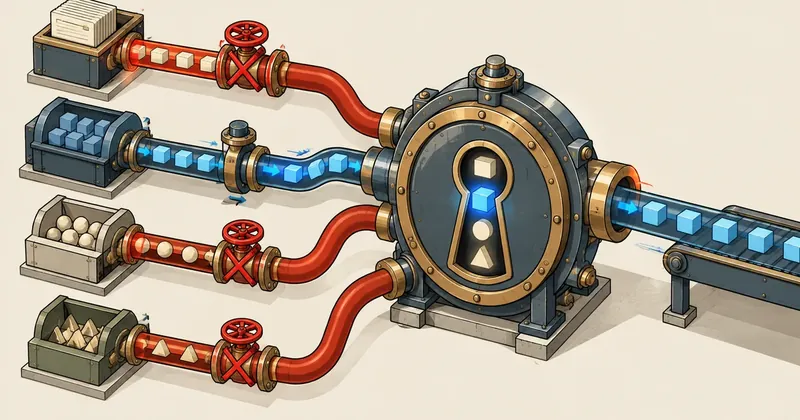
A 200 response from the main site does not mean the whole app is safe, because the same vendor directory is loaded by several PHP versions, and a small file Composer writes will reject every runner below the minimum version without anyone being alerted.
1-minute summary
- Symptom / problem
- Running composer update on PHP 8.4 breaks workers, cron jobs and subdomains that still use older PHP, one by one.
- Who should read
- People whose single vendor directory is loaded by several PHP versions on one server.
- Fix in short
- List every runner and the PHP it uses before touching composer, target the lowest runner version, then verify after the update.
While I was updating packages flagged by composer audit across about a dozen Laravel apps on a single DirectAdmin host, I ran composer with PHP 8.4 and checked that every app's main site returned 200, so I told myself I was done, but afterward I found that a queue worker had been restarting for nearly an hour without anyone knowing, two cron jobs had failed, and two subdomains of the same app were returning 500; the cause was neither a broken package nor a missing extension, but a single small file Composer had written automatically without me asking.
I have replaced all app names, unit names, domains and users in this article with example values, but the symptoms, error messages and sequence of events are real.
Symptoms: the main sites passed, but everything around them failed one by one
This machine is a shared host running several PHP versions side by side, with each domain and subdomain having its own PHP-FPM pool and PHP version, while the command-line php command is a symlink pointing to the older 8.2 version, which many cron jobs and one worker's systemd unit were using, and when planning the update I had not counted these as entry points into the apps at all.
What I saw after the update, in the order I found it
- Every app's main site returned 200, passing the check I had set.
- One app's queue worker, whose ExecStart pointed to the shared symlink (8.2), failed, systemd restarted it, and it failed again, repeating this loop for about an hour before someone noticed.
- Both the
schedule:runcron job and the cron job for publishing scheduled articles, which also called the sharedphp, failed. - Two subdomains of the same app, one set to 8.2 and the other to 8.3 in DirectAdmin, returned 500 until I moved them to 8.4, with one taking about 40 minutes.
My first wrong guess: a broken package
My first guess was that one of the newly updated packages was broken, or that an extension the app needed was missing from an older version, and the app logs had nothing to show because autoload failed before the app could start; the real answer was in the worker's journal and the error page FPM returned.
$ journalctl -u app-a-queue.service -n 6 --no-pager
app-a-queue.service: Main process exited, code=exited, status=255/EXCEPTION
Composer detected issues in your platform:
Your Composer dependencies require a PHP version ">= 8.4". You are running 8.2.x.
PHP Fatal error: Uncaught RuntimeException: Composer detected issues in your platform
  in /home/webuser/app-a/vendor/composer/platform_check.php
app-a-queue.service: Scheduled restart job, restart counter is at <N>.
The message plainly said that PHP 8.4 or later was required but it was running on 8.2, and read carefully, this was Composer protecting me rather than a bug; I wasted time investigating packages because I had not read this line first.
How platform_check.php works
Every time composer install or composer update runs, Composer combines the php requirements of all packages in the lock file and writes them into vendor/composer/platform_check.php, which the autoloader calls whenever vendor is loaded, whether through the web, CLI or a worker.
<?php
// vendor/composer/platform_check.php  (@generated by Composer)
// ตัวเลขข้างล่างมาจากแพ็กเกจที่ต้องการ PHP สูงสุดใน lock file
$issues = array();

if (!(PHP_VERSION_ID >= 80400)) {
    $issues[] = 'Your Composer dependencies require a PHP version ">= 8.4". '
              . 'You are running ' . PHP_VERSION . '.';
}

if ($issues) {
    if (!headers_sent()) {
        header('HTTP/1.1 500 Internal Server Error');   // ฝั่งเว็บ: 500
    }
    if (PHP_SAPI === 'cli' || PHP_SAPI === 'phpdbg') {
        fwrite(STDERR, 'Composer detected issues in your platform:' . PHP_EOL);  // ฝั่ง CLI: เขียน STDERR
    }
    throw new \RuntimeException('Composer detected issues in your platform: ' . implode(' ', $issues));
}
What I had not considered was that this requirement does not look at which PHP versions are installed on the machine: I ran update with 8.4, so Composer selected newer package versions, some of which required 8.4 or later (if I had run it with an older version, it would have had to select package versions that supported that version instead), raising the minimum in the file accordingly and rejecting everything below 8.4, however it loaded this vendor directory.
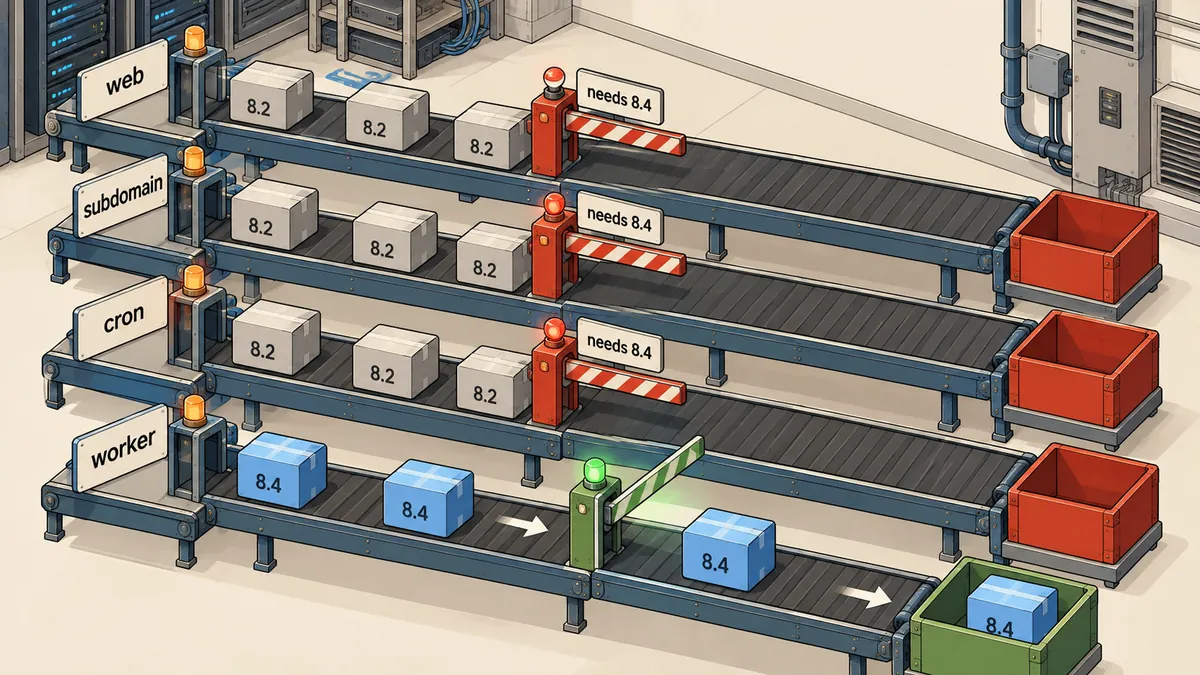
The main site is only one of four runners loading the same vendor directory, and if this file fails, the other entry points fail together without any change to the app's code; I checked only the runner that passed, so all I saw were good results.
Proving which PHP each runner uses
The quickest way to prove this is to ask the binary that is actually called, rather than ask what is installed on the machine, because several PHP versions coexist on the same machine.
# 1) worker: ดู ExecStart แล้วถาม binary ตัวนั้นตรง ๆ
systemctl cat app-a-queue.service | grep ExecStart
/usr/local/bin/php -v | head -1

# 2) cron: ดูว่าบรรทัดไหนเรียก php ตัวไหน
crontab -l -u webuser | grep app-a

# 3) symlink ตัวกลางชี้ไปไหน
readlink -f /usr/local/bin/php

# 4) subdomain: ดูรุ่นที่ DirectAdmin ตั้งให้ แล้วเทียบกับเกณฑ์ใน platform_check.php
grep PHP_VERSION_ID /home/webuser/app-a/vendor/composer/platform_check.php
The results matched every symptom: ExecStart and both cron lines pointed to the shared symlink running 8.2, while the two subdomains were separately configured for 8.2 and 8.3, unlike the main domain's 8.4, and all were below the minimum written in the file.
I have written about FPM and CLI using different binaries and producing different results in another case, tinker sends mail, but the website cannot, where the cause was different (proc_open was disabled in FPM) but the lesson was similar: the runner that passes the test may not be the one doing the actual work, and this case was also unrelated to stale caches as described in Deployed but the site has not updated — tracing five cache layers, because the error message clearly identified the PHP version as the sole issue.
Find every runner before touching composer
The first lesson is to have a list of each app's runners before running composer every time, so I wrote a short script to search for the app's path in the places jobs tend to hide.
#!/bin/bash
# list_runners.sh <app_dir>  — อ่านอย่างเดียว ไม่แก้อะไรทั้งนั้น
APP=${1:?app dir}

echo "== cron ที่เรียกแอปนี้"
grep -l "$APP" /var/spool/cron/crontabs/* 2>/dev/null

echo "== systemd unit ที่ชี้แอปนี้"
grep -l "$APP" /etc/systemd/system/*.service 2>/dev/null

echo "== ไฟล์ override ของ DirectAdmin (subdomain ที่ชี้ docroot นี้)"
grep -rl "$APP" /usr/local/directadmin/data/users/*/domains/ 2>/dev/null | grep -i override
The third item was something I nearly missed, because in DirectAdmin a subdomain's PHP version is not in the main domain's settings page but in a docroot.override file beside the domain's conf file, and without searching I would not have seen which subdomains were running the same code as the main site.
Only checked
- Updated with PHP 8.4
- Compared HTTP on main URLs before and after
- Left cron, workers and subdomains off the list
- Learned of failures from whoever noticed first
Find runners first
- Run list_runners.sh for every app first
- Choose PHP to match the oldest runner
- Check HTTP on every URL and the worker journal
- Alert on repeated worker restarts
My approach: choose PHP to match the oldest runner
Once I have the runner list, there are two options: first, run composer with the oldest PHP version in the group, which makes Composer choose packages supporting that version and write a correspondingly lower minimum into platform_check.php; second, move every runner to the newer version first, then run composer with that version, and my patch script accepts a PHP variable so I can use the first option directly.
# ทางแรก: แอปนี้มี runner ต่ำสุดเป็น 8.3 -> รัน composer ด้วย 8.3
PHP=/usr/local/php83/bin/php bash laravel_composer_patch.sh apps.txt

# ทางที่สอง: ย้ายทุกตัวไป 8.4 ก่อน โดยชี้ binary เต็ม path ไม่ใช้ symlink กลาง
# crontab ของ webuser
* * * * * cd /home/webuser/app-a && /usr/local/php84/bin/php artisan schedule:run >> /dev/null 2>&1
# /etc/systemd/system/app-a-queue.service (เฉพาะส่วนสำคัญ)
[Service]
User=webuser
WorkingDirectory=/home/webuser/app-a
ExecStart=/usr/local/php84/bin/php artisan queue:work --sleep=3 --tries=3
Restart=always
RestartSec=5
Personally, I choose the second option when I have time, because specifying the full path to the version I want removes the runner's dependence on the shared symlink, so someone changing that symlink next time will not affect this app, but if I need to finish patching vulnerabilities that day, the first option is safer; choose whichever fits, but whichever option I choose, I must not change the shared php symlink itself.
The /usr/local/bin/php symlink is used by other users' cron jobs on the same machine, so changing it to fix just my app creates the same problem for someone else.
composer config platform-check false makes the message disappear, but packages may actually use 8.4 syntax that PHP 8.2 cannot parse, causing the app to fail partway through with a parse error instead, which is much harder to track down; I do not recommend it as a fix.
Post-update steps and alerts
Even before this incident, my patch script already backed up vendor, composer.json and the lock file for each app, updated only packages flagged by audit within the ranges allowed by composer.json, reloaded php-fpm, checked HTTP, and automatically restored the originals if a page changed from below 500 to 500 or above, but its gap was that it checked only the app's main URL, so these are the steps I will use from now on.
- Run
list_runners.shfor every app first and record which PHP version each runner uses - Choose a PHP version for composer that matches the oldest in the group, or finish moving every runner first
- Back up the app's vendor, composer.json and lock file, then run update only for packages flagged by audit
- Check HTTP on the main domain and every subdomain pointing to the same code
- Watch the worker's
journalctlfor at least a few minutes after restarting, and wait for one cron cycle - If any runner fails, restore vendor from the backup and return to step 2
The HTTP check should loop through every URL associated with the app, rather than just one.
for u in https://example.com/ https://sub1.example.com/ https://sub2.example.com/; do
  printf '%s %s\n' "$(curl -sk -o /dev/null -w '%{http_code}' --max-time 20 "$u")" "$u"
done
As for the missing alert, the worker failed for nearly an hour without anyone knowing because systemd restarted it immediately, leaving no persistent failed status to see; the regular check should include a restart counter.
n=$(systemctl show -p NRestarts --value app-a-queue.service)
[ "${n:-0}" -gt 3 ] && echo "[WARN] app-a-queue restarted $n times"
What I took away
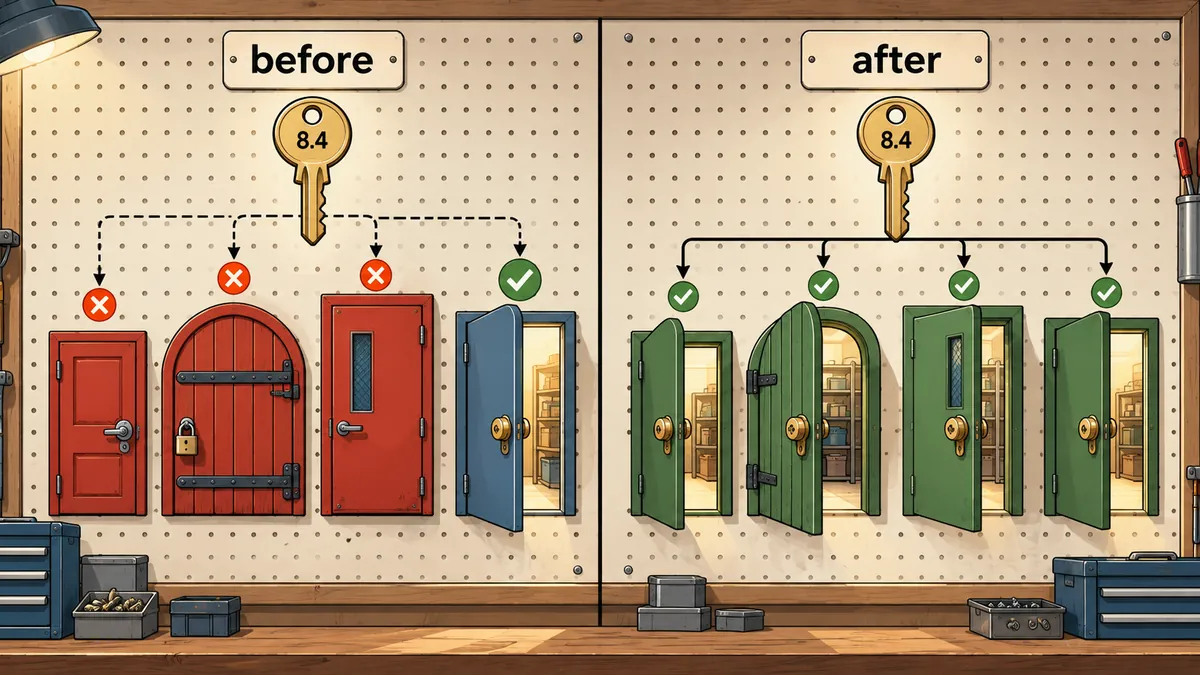
I had done nothing wrong with Composer itself, which worked exactly as designed; my mistake was assuming that an app had only one entry point, the website, when it actually had at least four, and running several PHP versions side by side meant those entry points did not necessarily use the same version.
The points I am keeping for future use are
platform_check.phpis rewritten on every update, and its minimum comes from the package requiring the highest PHP version in the lock file, which depends on the PHP version used to run update.- Everything loading the same vendor directory, including the main domain's FPM, subdomain FPM, cron and systemd, must meet the same requirement.
- Before update, find every runner; after update, check every entry point, rather than only the main site.
- Point cron and ExecStart to the full binary path for the intended version, rather than a shared symlink that others also use.
- If a supervisor restarts a process immediately, do not assume silence means everything is normal; there must be a restart counter or an alert for repeated restarts.
I have not yet added automatic runner discovery and checks for every URL to the patch script, so for now I still run list_runners.sh manually before each update; if I have missed an explanation or made a typo, I will come back and correct it later.
Want us to set this up?
Get help with server setup, configuration, migration, or troubleshooting. Save time for the work that matters.
Hit something like this? Stuck somewhere?
Come trade notes on the LinuxThai board


Comments 0
No comments yet — be the first