API Fails 9 Ways but the Web UI Deletes: Capture HAR for the Real Call

If a button in a device's web UI can do something, an HTTP request that does it exists, whether the documentation mentions it or not. My job is to stop guessing and look at what the browser sends.
1-minute summary
- Symptom / problem
- The documented API failed 9 ways to delete face photos, yet the device web UI button works
- Who should read
- Anyone controlling a device by API when the docs are incomplete
- Fix in short
- Capture a HAR in DevTools while clicking the web UI button, replay the same request yourself, and back up with md5 before the real delete
I previously concluded in Cannot Delete Faces from a Scanning Terminal Because the API Returns notSupport that this device family could not delete individual faces, and that access should be disabled instead. That conclusion was wrong. Disabling access is still the right approach for keeping someone from entering a door, but the claim that photos cannot be deleted is not true. This time, the task owner explicitly asked me to remove the face photos of former employees from the device without deleting their names or user records. I tried 9 API variations, none worked, and I actually deleted users by mistake before finding that the answer had been in the device's own web UI all along.
The IP addresses, employee IDs, table names, and database names in this article are examples. The endpoints, JSON structures, response codes, and result counts are real.
The Task and the Restrictions That Ruled Out the Easy Route
There was only one scanning terminal, its face storage was limited, and leftover photos of former employees were causing it to identify people incorrectly. The task owner wanted those photos removed. There were four conditions: leave current employees and administrator accounts untouched; do not delete names or user records because old scan history must still identify who each person was; back up the photos to the database before deleting them; and "do only what I asked, and first summarize what needs to be done."
The starting counts were 142 user records on the device and 137 people in the personnel database: 54 current employees and 83 former employees. The extra 5 records were test and administrator accounts that existed only on the device. I left those alone until someone could confirm them. I built the list of photos to delete by intersecting people whose status was not active in the personnel register with the photos actually present on the device, without guessing from names.
Everything in this article was done on an access control device under my care, using an administrator account provided as part of the assignment, and at the system owner's direction. The backed-up face photos are people's biometric data. They must be stored with restricted access, not shared or used for other purposes. Using this method on a device that is not your own is illegal.
9 Dead Ends and Deleting the Wrong Thing
I started with the documentation for the device family, just as I had before. The face library was under FDLib, so I tried every command I could find whose name suggested deletion. There were 9 variations in total, grouped below.
| Request | What I tried | Result |
|---|---|---|
/ISAPI/Intelligent/FDLib/FDSetUp/Delete |
POST and PUT, with two JSON body variants and XML | notSupport |
/ISAPI/Intelligent/FDLib/FDSearch/Delete |
Sent the FPID of the person to delete | badJsonContent: FPID |
/ISAPI/Intelligent/FDLib/FDSearch |
DELETE method and a deletion-style POST | methodNotAllowed |
/ISAPI/AccessControl/UserInfo/Count |
Tried to count users for a before-and-after comparison | methodNotAllowed |
/ISAPI/AccessControl/UserInfoDetail/Delete |
mode byEmployeeNo | Succeeded, but deleted the entire user |
The last row was where I made the mistake. The only command the device accepted deleted the entire user record, taking the photo with it. I thought of a workaround: delete the user and immediately recreate the name. The end result would still be a user without a photo, so I did this for 2 people. The task owner immediately told me to stop: "do not delete users," which he had already said at the start. Including an earlier test, my experiments affected 3 people. I had to recreate their names and temporarily disable Valid.enable while looking for the correct approach.
The task owner's restriction was do not delete users, not "users must exist at the end." Deleting and recreating changes the record itself, and there is a period when the record does not exist. If the script fails halfway through, the name is gone. Restrictions must be read literally, not reinterpreted to fit whichever command happens to work.
Two Counting Mistakes Before the Solution
Along the way, two other misunderstandings almost led me to make another wrong decision.
First, I opened the device's web UI with a browser automation script to view the user list. The page said "No user information is found" and showed a Total of 1. It looked as though nearly all the data on the device had disappeared. In fact, the page had not finished loading, and the browser's debugging port conflicted with another running task. When I queried the device directly through the API, all 142 user records were still there. The lesson is not to treat a view from an automated browser as proof that data is gone; check the API again first.
Second, searches through FDSearch always returned 3 rows per page, regardless of the value of maxResults. Calling it once would give a photo count of 3 and make it look as though the rest had disappeared. I had to keep advancing searchResultPosition with a fixed searchID until responseStatusStrg was no longer MORE.
import os, requests
from requests.auth import HTTPDigestAuth

HOST = "http://" + os.environ["ACS_HOST"]           # เช่น 192.168.10.21
S = requests.Session()
S.auth = HTTPDigestAuth(os.environ["ACS_USER"], os.environ["ACS_PASS"])

def face_page(pos, sid="facelist"):
    r = S.post(HOST + "/ISAPI/Intelligent/FDLib/FDSearch?format=json", json={
        "searchID": sid, "searchResultPosition": pos, "maxResults": 30,
        "faceLibType": "blackFD", "FDID": "1"}, timeout=20)
    return r.json()

def all_faces():
    """เครื่องคืนหน้าละ 3 แถวเสมอ ต้องเลื่อนตามจำนวนที่ได้จริง"""
    out, pos = [], 0
    while True:
        j = face_page(pos)
        got = j.get("MatchList", [])
        out += got
        if not got or j.get("responseStatusStrg") != "MORE":
            return out
        pos += len(got)
For the user count, since UserInfo/Count did not work, I had to page through UserInfo/Search and count the records myself in the same way.
The Turning Point: The Device's Web UI Could Delete Photos
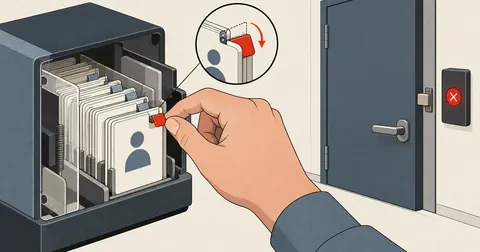
The task owner himself pointed out the solution. He said that editing a user in the device's web UI showed a delete-photo button. Clicking it removed the photo while leaving the name intact. He could access the page in another browser after accepting the device's self-signed certificate.
That statement changed the entire problem. The device's web UI has no secret channel; it talks to the device over HTTP, just as I do. If the button works, a request exists that works, and the browser sees every byte of it. I stopped guessing and asked him to do the following for one former employee.
- Open the device's web UI, log in normally, and go to the user list.
- Press F12 to open DevTools, go to the Network tab, enable Preserve log, and clear the request list.
- Edit one user, click the delete-photo button, and save. Do this for just one person.
- Right-click the request list, select Save all as HAR, and send me the file.
- Do nothing else on the page during this process so the file contains only relevant requests.
The resulting file was 1.6 MB, mostly page files, scripts, and images. Only a few requests actually went to ISAPI. I used a short script to filter those out.
import json

har = json.load(open("device.har", encoding="utf-8"))
for e in har["log"]["entries"]:
    rq = e["request"]
    if "/ISAPI/" not in rq["url"]:
        continue
    path = rq["url"].split("?")[0].split("/ISAPI/")[1]
    body = (rq.get("postData") or {}).get("text", "")
    print(rq["method"], path, e["response"]["status"])
    if rq["method"] != "GET" and body:
        print("    ", body[:300])
The output included Security/token, 6 sessionHeartbeat requests, UserInfo/Search, UserInfo/Modify, capabilities requests, and the one I was looking for. At first, UserInfo/Modify looked the most likely because it occurred when Save was clicked, but its body contained only profile data, nothing related to the photo. The actual request was this.
{
  "method": "PUT",
  "path": "/ISAPI/Intelligent/FDLib/FDSetUp?format=json",
  "body": {
    "faceLibType": "blackFD",
    "FDID": "1",
    "FPID": "A1007",
    "deleteFP": true
  },
  "response": { "statusCode": 1, "statusString": "OK" }
}
It was the same FDSetUp used to add photos, not an endpoint with Delete in its name. What I could not have guessed was the deleteFP key, which was absent from my copy of the documentation. I had tried nine variations of endpoints whose names suggested deletion, while the real operation was hidden in a setup command.
Replaying the Request Without a Web UI Session
In the HAR, the web UI's request had security=1 and iv=... parameters appended to the URL and was tied to a session kept alive by heartbeats. It looked as though I would need to reproduce the web UI's entire login sequence. But when I tried sending the same body with ordinary HTTP digest auth, without cookies or encryption parameters, the device still returned OK.
curl -s --digest -u "$ACS_USER:$ACS_PASS" -X PUT \
  "http://$ACS_HOST/ISAPI/Intelligent/FDLib/FDSetUp?format=json" \
  -H 'Content-Type: application/json' \
  -d '{"faceLibType":"blackFD","FDID":"1","FPID":"A1007","deleteFP":true}'
# {"statusCode":1,"statusString":"OK"}
I checked the result by searching for that user's record again. numOfFace was 0, while the name, door permissions, and every field in the Valid object were unchanged. This met all the task owner's conditions.
A HAR file records everything the browser sends, including session tokens, cookies, URL parameters, and bodies containing employee IDs. Treat it as confidential as a password. Delete it after use, do not post it publicly, and do not commit it to a repo. If you need to keep a reference, retain only the method, path, and body structure with the real values removed.
I had used the same idea with a switch in Configure VLANs with the Same API the Web UI Uses, but that article did not include the HAR capture steps. This time I have written them out in full, because having someone perform the action once and capturing the request is the shortest route I have found.
Back Up Before Deleting, and Delete Only After a Successful Backup
Once I had the delete command, I still did not send it immediately. I had just made a mistake, and the third condition was to back up to the database first. I created a separate archive table to store the photo file as a BLOB and two sets of metadata, one from the face library and one from the user record, in case a restore was needed.
CREATE TABLE face_archive (
  employee_no        VARCHAR(32) PRIMARY KEY,
  full_name          VARCHAR(191) NOT NULL,
  face_jpg           LONGBLOB NOT NULL,
  jpg_bytes          INT NOT NULL,
  face_meta          JSON,
  user_meta          JSON,
  device_ip          VARCHAR(45),
  archived_at        DATETIME NOT NULL,
  deleted_on_device  TINYINT(1) NOT NULL DEFAULT 0,
  deleted_at         DATETIME NULL
);
The whole script was 76 lines long and had four subcommands: count to count photos; check <รหัส> to inspect a person's name, numOfFace, and Valid; backup <รหัส> to back up only; and delete <รหัส>, which always required a backup first. If the backup failed, it printed BACKUP FAILED -> skip and skipped that person. There was no way for the delete command to run without a copy.
def backup(emp, face):
    url = face.get("faceURL")
    if not url:
        return None
    img = S.get(url, timeout=30)
    if img.status_code != 200 or not img.content:
        return None
    path = os.path.join(BK, emp + ".jpg")
    with open(path, "wb") as f:
        f.write(img.content)
    with open(os.path.join(BK, emp + ".face.json"), "w", encoding="utf-8") as f:
        json.dump({"face": face, "user": user_rec(emp)}, f, ensure_ascii=False, indent=1)
    return path, len(img.content)

def del_face(emp):
    """คำขอเดียวกับที่หน้าเว็บของเครื่องส่ง"""
    r = S.put(HOST + "/ISAPI/Intelligent/FDLib/FDSetUp?format=json",
              json={"faceLibType": "blackFD", "FDID": "1",
                    "FPID": emp, "deleteFP": True}, timeout=20)
    return r.status_code, r.text.strip()

faces = {x.get("FPID"): x for x in all_faces()}
for emp in sys.argv[2:]:
    if emp not in faces:
        print(emp, "NO FACE -> skip"); continue
    b = backup(emp, faces[emp])
    if not b:
        print(emp, "BACKUP FAILED -> skip"); continue
    print(emp, "backup", b, "->", del_face(emp))
After importing the files into the table, I compared the md5 of each database BLOB with the original file on disk before considering the backup complete. Only then did I run the delete command through the list.
The remaining 56 photos were 52 photos of current employees and 4 administrator account photos. The archive table had 79 rows: the 77 people whose photos were deleted in the actual run, plus backups made during testing. The device still had the same 142 user records, and I restored Valid.enable to true for the 3 people I had disabled during testing.
What Remains Unproven and Lessons for Next Time
There are two things I need to be clear about that are still unfinished. First, I have not tested restoring photos to the device from the archive table. The likely route is a multipart POST to FaceDataRecord, but I have not actually tried it. A backup that has never been restored is not fully verified. Second, I still have no command for selectively deleting event logs on the device. The ClearEvent commands I tried returned 404 and notSupport. That point still agrees with the original article.
An API response of notSupport means the device cannot do it
I tried every endpoint whose name suggested deletion, got notSupport from all of them, and concluded that this firmware line had no command to delete an individual photo. That conclusion came from guessing command names, not from checking what the device could do.
notSupport means that request is not the way
The capability exists, but it is in another command whose name does not reveal it. As long as the device's web UI can do it, assume the API can too, and capture the actual request before concluding that it cannot be done.
Next time I work with a device that has a web UI, I will first ask whether its web UI can perform the action. If it can, I will capture HAR before reading the documentation. If it cannot, I will work through the documentation. Either way, any command that deletes data must always be preceded by a verified backup. I will also add a note to the original article pointing here. If I have left anything unexplained or made a typo, I will come back and correct it later.
Want us to set this up?
Get help with server setup, configuration, migration, or troubleshooting. Save time for the work that matters.
Hit something like this? Stuck somewhere?
Come trade notes on the LinuxThai board


Comments 0
No comments yet — be the first