PHP Disables JIT When ionCube Is Loaded, Despite opcache.jit
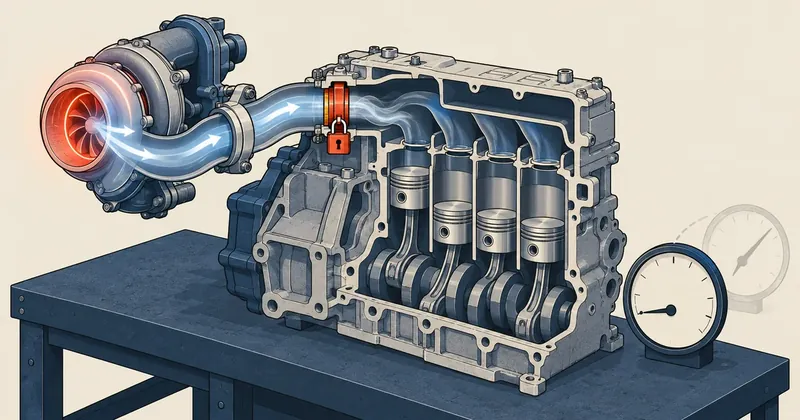
JIT settings in an ini file do not mean JIT is running. I need to check with the FPM instance serving real requests, and on a machine managed by DirectAdmin, something needs to restore those settings every time PHP is built.
1-minute summary
- Symptom / problem
- opcache.jit=tracing and jit_buffer_size are set, yet PHP disables JIT on its own because the ionCube Loader is loaded.
- Who should read
- PHP admins on DirectAdmin who want to enable JIT.
- Fix in short
- Prove it in a real FPM request, not the CLI, remove ionCube only after knowing who uses it, and set up an auto-fix for when a DirectAdmin build overwrites the config. Expect only about 0-5% for Laravel.
I was working on speeding up a service booking website on a shared host running PHP 8.4 through FPM under DirectAdmin. Redis for cache and sessions, along with longer TTLs at the edge, was already done. The next step I had in mind was enabling OPcache JIT, because the config already had a jit_buffer_size of 64M. I assumed that meant JIT was already working, which was my first mistake. After fixing that, I found another problem: JIT was being disabled without a single error appearing on the website. This article follows the order in which I found these problems.
Setting a buffer is not enough, and jit=tracing is still no guarantee
PHP 8.4 does not actually enable JIT by default. Both the opcache.jit mode and the opcache.jit_buffer_size size must be set. With only a buffer and no mode, no code gets compiled to machine code. I added these two lines to my own file, whose name starts with 99 so it gets read last.
; php.conf.d/99-custom-opcache.ini
opcache.jit=tracing
opcache.jit_buffer_size=64M
This was where I thought I was done. But PHP's JIT works by wrapping code execution in the Zend Engine, and some extensions do the same thing. ionCube Loader is one of them, because it needs to intercept the execution of encoded files. When PHP starts and finds an extension like this loaded, it logs a message saying JIT is incompatible with third-party extensions, then disables JIT itself. Every configured setting remains in place, and the buffer is still allocated, but the actual on/off flag is false.
On the machine I manage, the PHP builds provided by DirectAdmin include the ionCube loader with 8.2, 8.3 and 8.4 through the DirectAdmin-owned 10-directadmin.ini file. I did not add it myself. That line had been sitting there all along without anyone noticing it was blocking JIT.
The command php -i | grep jit, or opening an ini file, only shows what I configured. It does not show whether PHP is actually using those settings. The only reliable proof is opcache_get_status() running in the same process that serves the request.
Prove it in a real FPM request, not in the CLI
A common mistake here is checking php -v over SSH and calling it done. But the CLI is a separate SAPI, with its own ini files and a separate opcache.enable_cli, and it does not read the same settings as the FPM pool at all. CLI results therefore prove nothing about the pool.
My approach was to place a temporary PHP file with a random name in the docroot of a domain running on 8.4, request it once over HTTPS, then delete it immediately.
<?php
// jit-probe-<random>.php  (เรียกครั้งเดียวแล้วลบ)
$s = opcache_get_status(false);
echo json_encode([
    'jit'     => $s['jit']['on'] ?? null,
    'buf'     => $s['jit']['buffer_size'] ?? null,
    'ioncube' => extension_loaded('ionCube Loader'),
]);
If I do not want to place a probe file, another option is to look for the message PHP logged when the worker started. PHP logs this message at startup. Opening the FPM error log reveals a line like this, which is clearer than I expected. But it goes into the log rather than appearing on the website, so nobody sees it unless they look.
# หาข้อความที่ PHP ปิด JIT เอง (ชื่อไฟล์ log ขึ้นกับการตั้งค่าของแต่ละเครื่อง)
grep -i "JIT is incompatible" /var/log/php-fpm84/error.log | tail -n 3
Still, I do not treat the log as final proof, because it tells me when JIT was disabled in the past, not whether it is enabled or disabled in the pool serving requests now. The probe answers for the present; the log provides the history. I use both together.
Before the fix, the result showed jit as false and ioncube as true, even though buf showed the configured size of 64M. That was the answer to why nothing had changed.

Before removing ionCube, find out who uses it
Before removing the loader, I needed to make sure nobody on that version depended on it. I checked and found just one old billing app that required ionCube, and it was not running on 8.4 at all. On the 8.4 side, I scanned every account using 8.4 for files encoded with ionCube. These files start with the //ICB0 marker followed by random data.
# อ่านอย่างเดียว ไม่แก้อะไร ทีละบัญชีที่ใช้ PHP 8.4
for u in webuser1 webuser2; do
  n=$(nice -n19 ionice -c3 grep -rlsI --include='*.php' -e '//ICB0' \
        --exclude-dir=Maildir --exclude-dir=.redis /home/$u | wc -l)
  echo "$u: $n"
done
I chose to scan file contents rather than trust the list of applications customers gave me, because customers on shared hosting can install themes and plugins themselves. Encoded files can come with packages whose website owners never knew contained them. If a new account moves in with that kind of code one day, the scan needs to run again before I can say it is safe to remove the loader from 8.4.
The scan found no encoded files in any account using 8.4. I could therefore remove the loader from 8.4 alone without affecting anyone. I left the version used by the billing app untouched.
The actual sequence of changes and the safeguards
I wrote a single script that creates backups, writes a short RESTORE file, and rolls back automatically if the result is not as expected. The sequence is to scan, comment out the loader line in the DA-owned file (8.4 only), add the JIT settings to my own 99 file, then reload FPM and run the probe.
INI=/usr/local/php84/lib/php.conf.d/10-directadmin.ini
CUS=/usr/local/php84/lib/php.conf.d/99-custom-opcache.ini

sed -i -E 's|^(zend_extension=.*ioncube_loader_lin_8\.4\.so)|;\1 ; off for JIT|' "$INI"
grep -q '^opcache.jit=' "$CUS" || printf '%s\n' \
  'opcache.jit=tracing' 'opcache.jit_buffer_size=64M' >> "$CUS"

/usr/local/php84/sbin/php-fpm -t -y /usr/local/php84/etc/php-fpm.conf
systemctl reload php-fpm84      # graceful ไม่ใช่ restart
There are two things I can confirm should always be done. The first is reload, not restart: workers currently serving requests keep running until they finish, then get replaced, so the websites are not interrupted. The second is to record the HTTP status of every domain on 8.4 before the change, then collect another set afterward. If any domain goes from below 500 to 500 or above, the script restores both files automatically.
- Scan every account on the version being changed for ionCube files. If even one is found, stop and investigate first.
- Back up both ini files and write rollback instructions alongside them.
- Comment out the loader for that version only, and set the mode and buffer in the 99 file.
- Test the config with
php-fpm -t, then reload gracefully. - Probe through a real request until jit is true and ioncube is false, then delete the probe file.
- Compare every domain's HTTP status before and after, and check the logs for segfaults.
The rollback instructions file placed alongside the backups is very short. The intent is for someone opening it at three in the morning to understand it without having to remember what was done before.
# RESTORE: คืนไฟล์ ini ทั้งสองจากชุดสำรอง แล้ว reload
cp -a /root/backup-php84-jit/10-directadmin.ini /usr/local/php84/lib/php.conf.d/
cp -a /root/backup-php84-jit/99-custom-opcache.ini /usr/local/php84/lib/php.conf.d/
/usr/local/php84/sbin/php-fpm -t -y /usr/local/php84/etc/php-fpm.conf && systemctl reload php-fpm84
After the fix, the probe returned jit true and ioncube false. Every domain on 8.4 had exactly the same HTTP status as before, and there were no segfaults in the log.
Before getting to the trap, I put together a table showing which file each setting belongs in, because that determines whether it survives a build.
| Item | File it belongs in | Owner | Survives a build? |
|---|---|---|---|
| ionCube zend_extension | 10-directadmin.ini | DirectAdmin | No, it gets regenerated |
| opcache.jit and buffer | 99-custom-opcache.ini | Me | Yes, DA leaves it alone |
| Per-user pm and realpath_cache_ttl | php-fpm.conf.custom2 | Me | Yes |
| Script to comment out the loader line again | cron.daily and post-build hook | Me | Yes, but it must run again after the build |
All the settings I control survive. The only thing that does not is the ionCube line in DA's file. That narrows the problem down to repeatedly commenting out that single line, which is straightforward to script.
The trap: DirectAdmin overwrites the ini file on every build
What brought me back to this was removing an old PHP version and adding PHP 8.5 as an extra slot that same week. When CustomBuild finished building, the ionCube line was back in 10-directadmin.ini, and JIT was disabled again without any warning. CustomBuild recreates that file every time build php runs. The comment I had added disappeared with the old file.
I have a check-customizations.sh script that runs daily through cron.daily and again after builds through a CustomBuild hook, commenting out that line again and restoring the JIT settings. I already described the overall idea of these multiple layers in the final part of the DA migration series, and covered 99-custom-*.ini files in the part on CustomBuild. I will not repeat that here. There are just two new things I found this time.
A post-build hook would be enough
I planned for the script attached to the hook to fix things as soon as the build finished. In practice, though, a hook ran before DirectAdmin wrote the final ini file. The hook's changes were immediately overwritten again.
Run it again after the build
cron.daily remains as the fallback safety net, and after every build I manually run the script again a few minutes later, then probe again to confirm jit is true.
The second issue was that the version list in the script's loop originally covered only 8.1 through 8.4. When I added 8.5, nothing was taking care of it, and the 8.5 build also included the ionCube loader. JIT on that slot therefore would not work until the loader was removed there too. The version must be added to the loop every time a new slot is enabled, or the fix will not cover it.
Set realistic expectations: JIT gives Laravel apps only around 0-5%
I will be direct here: a Laravel website spends most of its time on IO and the framework, rather than the heavy computational loops JIT handles well. My own expectation was about 0 to 5%. I did not record actual before/after measurements, so I will not give a percentage for what I gained. Anyone who wants to know the gain for their own website needs to measure it themselves.
To get numbers for a specific website, I recommend choosing one page that sees real use, requesting it repeatedly with JIT disabled, then enabling JIT and making the same number of requests again. Compare the median rather than the mean, because the first run after a reload is always slower than normal while OPcache is still cold, and the JIT buffer also needs time to start filling with sufficiently hot code. A difference of 2 to 3% can easily disappear into network variability when measuring over the actual internet.

I did not change the machine's primary PHP release because that would move other domains too, and the shared php symlink is called by other tenants' cron jobs. I did not enable HTTP/2 on Apache because nginx in front already speaks h2 with clients, while Apache only sees proxied traffic from localhost.
The changes I made at the same time that were more worthwhile than JIT were the per-user FPM pool settings, placed in that user's php-fpm.conf.custom2 (the |CUSTOM2| variable in the pool template). DirectAdmin does not overwrite these settings. I set pm=dynamic with a worker count suited to that user, and a longer realpath_cache_ttl. To apply the changes to just one user, I use DA's task queue.
# ให้ DA เขียน config ใหม่เฉพาะผู้ใช้นี้ (value=phpfpm ไม่ทำอะไร, rewrite_confs กระทบทุกคน)
echo "action=rewrite&value=httpd&user=webuser" >> /usr/local/directadmin/data/task.queue
/usr/local/directadmin/dataskq d
To sum up, after configuring JIT I need to ask FPM whether it is actually enabled, find out who uses ionCube before removing it, and have something restore the settings after every build. Whether to use JIT depends on what each machine needs. If there are several ionCube-encoded apps on 8.4, the trade-off is not workable; I have to choose one or the other. Measuring actual response times before and after enabling JIT is still on my list. I will come back and add that later.
Want us to set this up?
Get help with server setup, configuration, migration, or troubleshooting. Save time for the work that matters.
Hit something like this? Stuck somewhere?
Come trade notes on the LinuxThai board



Comments 0
No comments yet — be the first