Truncated Sync Packages Can Wipe Live Data: held and dump

Syncing data to a live site without someone pressing a button every time is useful, but if it trusts every package it receives, the day an export gets cut off halfway, it will wipe live data along with it without anyone knowing.
1-minute summary
- Symptom / problem
- A truncated export in a sync package can wipe live data when the site imports it automatically.
- Who should read
- Anyone syncing data from their own machine to a live site through an inbox and cron.
- Fix in short
- Compare the package against the live database before import, put suspicious ones in a held state with a clear way out, and always dump before importing.
For one client's website, the source data lives on the administrator's personal machine, and changes need to be sent to the live site periodically. I did not want anyone to have to sit there and press sync manually every day, so I set up the administrator's machine to collect and send changes on a schedule. But before long, I started worrying about one thing: the day the export on the source machine gets interrupted because the disk fills up, the process gets killed, or the network drops while writing a file. The resulting package will look normal in every way, but contain only half the items. If the website trusts it and follows it literally, live data that is "not in the package" will be treated as deleted at the source.
So I designed the whole mechanism around this one concern: how to prevent an abnormal package from automatically overwriting live data.
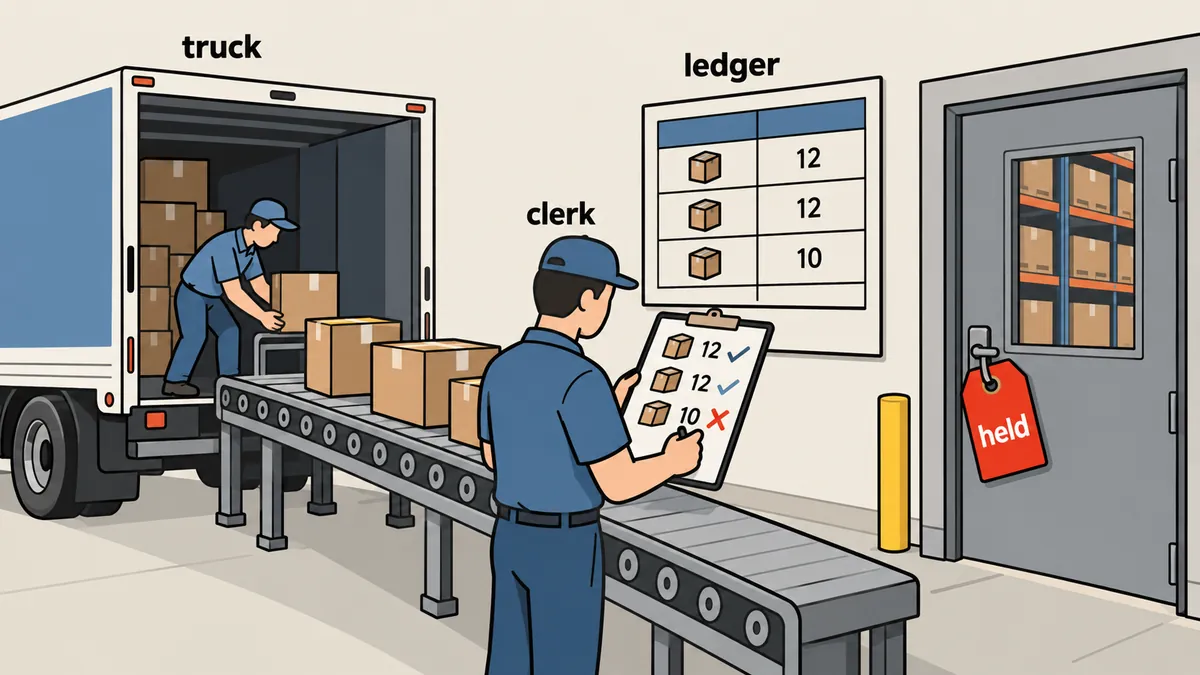
The thresholds (100, 50, 5.0 percent, and so on) are the actual settings for this project. I do not disclose the client's item counts, and I have replaced all command names and secret variable names with generic ones. Suitable thresholds for your data may be very different.
The whole pipeline from the administrator's machine to the live site
The package follows this path: the administrator's machine collects changed items into one zip file containing a manifest, an items.jsonl file with one item per line, and media files, all within a 60 MB limit (the live site's upload limit is 64 MB, leaving room for request headers). It sends the package through an API using a token into the website's inbox, then cron on the website picks up the latest package to import.
The administrator's machine has two jobs: collect the items and check the size limit before sending. Here is a simplified configuration example.
import json, zipfile, pathlib

LIMIT = 60 * 1024 * 1024        # เพดานของเรา เว้นจาก 64 MB ของฝั่งเว็บ

def build_package(items, media_files, out="package.zip"):
    with zipfile.ZipFile(out, "w", zipfile.ZIP_DEFLATED) as z:
        z.writestr("manifest.json", json.dumps({
            "count": len(items),
            "created_at": __import__("time").strftime("%Y-%m-%dT%H:%M:%S"),
        }))
        z.writestr("items.jsonl", "\n".join(json.dumps(i, ensure_ascii=False) for i in items))
        for m in media_files:
            z.write(m, arcname="media/" + pathlib.Path(m).name)
    size = pathlib.Path(out).stat().st_size
    if size > LIMIT:
        raise SystemExit(f"[STOP] package {size} bytes เกินเพดาน {LIMIT} ต้องแบ่งส่ง")
    return out
# ส่งเข้า inbox ฝั่งเว็บ token ใส่ผ่านไฟล์ ไม่พิมพ์ลงบรรทัดคำสั่งที่เก็บใน history
curl -sS -X POST "https://example.com/api/sync/packages" \
  -H "Authorization: Bearer <TOKEN>" \
  -F "[email protected]"
I have the administrator's machine check the size before sending because, although it is fine for the website to reject an oversized package, knowing at the source that it needs to be split is better than finding out from an error message at the destination.
Checking against live data: absolute thresholds are not enough
At first, I considered just one kind of threshold: stop if more than a certain number of items are missing. But a single absolute threshold breaks down easily. If the dataset grows 10 times larger, the threshold no longer fits the actual data. So I added a proportional threshold measured only against the live database: missing_pct, the proportion of live items that are "not in the package," must not exceed 5 percent. If it does, the export was probably interrupted, rather than the administrator intentionally deleting that much.
<?php
// config/sync_import.php
return [
    'gates' => [
        'new'         => 100,   // รายการใหม่เกินนี้ = ผิดปกติ
        'changed'     => 50,    // รายการเปลี่ยนเกินนี้ = ผิดปกติ
        'removed'     => 100,   // ถูกลบพร้อมกันเกินนี้ = ผิดปกติ
        'missing_pct' => 5.0,   // ของจริงที่ไม่อยู่ในแพ็กเกจเกินกี่ % = export ถูกตัด
    ],
    'dump_exclude' => ['cache', 'sessions'],   // ตารางที่เปลี่ยนเองตามธรรมชาติ ไม่ต้อง dump
    'dump_keep'    => 14,
];
<?php
// ตัดสินว่าแพ็กเกจนี้ต้อง held หรือไม่ ก่อนแตะข้อมูลจริง
function evaluateGates(array $diff, int $liveCount, array $gates): array
{
    $reasons = [];
    if ($diff['new'] > $gates['new'])         $reasons[] = "new={$diff['new']}";
    if ($diff['changed'] > $gates['changed']) $reasons[] = "changed={$diff['changed']}";
    if ($diff['removed'] > $gates['removed']) $reasons[] = "removed={$diff['removed']}";

    $missingPct = $liveCount > 0 ? 100.0 * $diff['missing'] / $liveCount : 0.0;
    if ($missingPct > $gates['missing_pct']) {
        $reasons[] = sprintf('missing=%.1f%%', $missingPct);
    }
    return $reasons;                       // ว่าง = ผ่าน, ไม่ว่าง = held พร้อมเหตุผล
}
There is one detail about deletions at the source. Currently, a deletion at the source no longer causes a package to be held. The system presents a separate "decision on source deletions" for the owner to review, except when many items are deleted at once, which already exceeds the removed threshold.
Count missing items
- The numbers need changing whenever the data grows
- With little data, they miss interrupted exports
- With lots of data, they stop too often
missing_pct against the database
- Scales with the data size automatically
- Directly catches exports cut off halfway
- Works with absolute thresholds as a second safety net
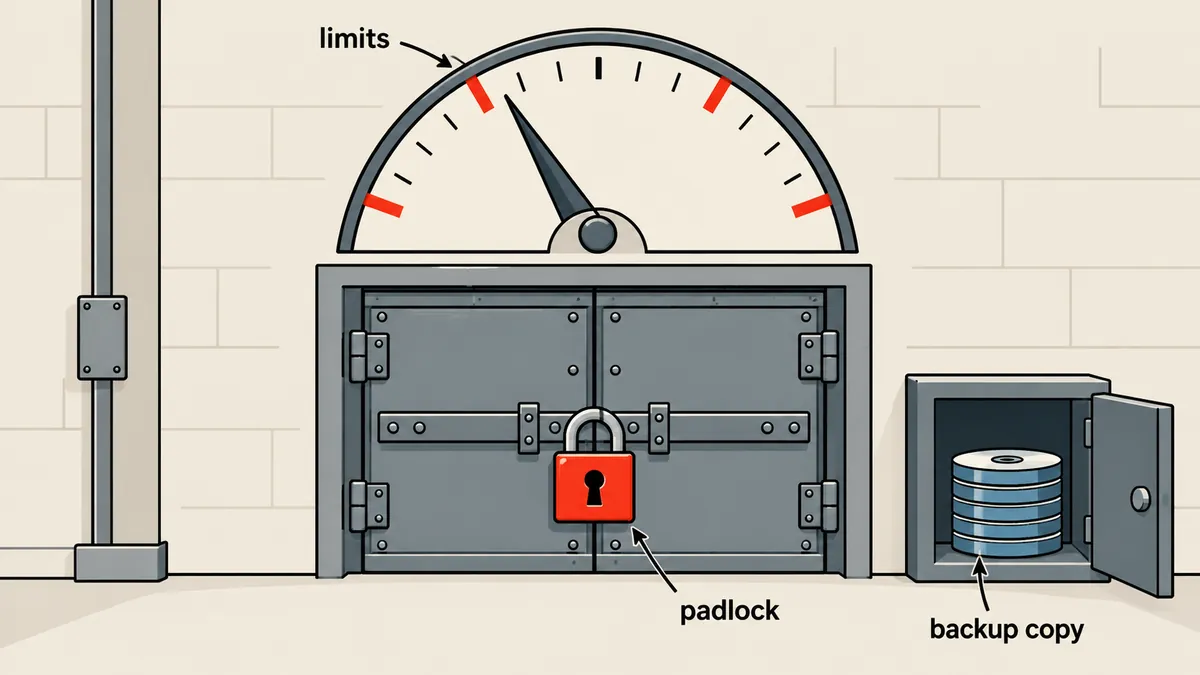
The held status needs a clear way forward
A gate with no way forward is a gate people will eventually disable. If a package is held and nobody knows what to do next, eventually someone will turn off the gate and say, "Just let it through." So I made held packages approvable in two ways: issue a command to approve the latest package, or click in the admin page, which shows the reason for each threshold exceeded. I do not disclose the actual command name here. The owner sees the values directly as numbers, such as missing=7.3%, and decides whether to approve or reject the package.
A package has five possible final statuses.
| Status | Meaning |
|---|---|
| done | Import completed successfully |
| held | Threshold exceeded; waiting for owner approval |
| failed | An error occurred partway through the import |
| superseded | Replaced by a newer package; skipped without importing |
| rejected | The owner explicitly chose to skip it |
The superseded status is useful when two packages overlap, because cron imports only the latest unprocessed package. The older package no longer needs to be imported, since the newer one already represents the latest state of the source.
Always dump before importing, but leave restores to a person
Once a package passes the gate, the system dumps the entire database before touching live data every time, except for tables that naturally change on their own, as configured in dump_exclude. Dumps go into a directory with permissions 700, with permissions 600 on the files themselves, and the system keeps the last 14 dumps, because database dumps should be readable only by the system owner.
# dump ก่อนนำเข้า โฟลเดอร์ 700 ไฟล์ 600 เก็บ 14 ชุด
umask 077
DEST=/var/backups/import-dumps
mkdir -p "$DEST" && chmod 700 "$DEST"

STAMP=$(date +%Y%m%d-%H%M%S)
mysqldump --single-transaction --routines --triggers \
  --ignore-table=appdb.cache --ignore-table=appdb.sessions \
  appdb | gzip > "$DEST/pre-import-$STAMP.sql.gz"
chmod 600 "$DEST/pre-import-$STAMP.sql.gz"

# เก็บแค่ 14 ชุดล่าสุด
ls -1t "$DEST"/pre-import-*.sql.gz | tail -n +15 | xargs -r rm -f
Then it imports the items, copies the media files, and rebuilds the cache by preparing it alongside the existing one and swapping it in one step. It does not use a command that clears the entire cache and temporarily slows down the site (I covered this in the zero-gap deploy article).
This is the most important rule in the whole pipeline: if an import fails partway through, the system does not automatically restore the database from the dump. It stops and waits for a person to decide. The reason is that a failure partway through leaves the database in an intermediate state, and I do not know whether the failure came from the package, the machine, or something else. Automatically restoring over data that may contain valid changes is a decision I do not want the machine making on its own. The complete dump is already stored, and someone who understands the situation can always restore it later.
Having a dump from before the import does not mean every situation can be rolled back. Data the website receives in the meantime, such as user submissions, will be lost if the entire database is restored. A person must always review what would be lost before deciding to restore, and that is why I do not automate it.
The scheduler on the administrator's machine, and exit codes that are not failures
On the administrator's machine, I use a systemd timer to run the sync script every 6 hours, at 02, 08, 14, and 20, with resource limits to keep it light and avoid competing with the machine's normal work.
# sync.service
[Unit]
Description=Push changed items to the web inbox

[Service]
Type=oneshot
ExecStart=/usr/local/bin/sync_daily.py
TimeoutStartSec=5.5h
Nice=15
IOSchedulingClass=idle
SuccessExitStatus=2 3

# sync.timer
[Timer]
OnCalendar=*-*-* 02,08,14,20:00:00
Persistent=true

[Install]
WantedBy=timers.target
The line SuccessExitStatus=2 3 is a small detail I once missed. The script returns exit code 2 when it hits a threshold (STOP), and 3 when the destination rejects a package (BLOCKED). Both are intended system behavior, not program failures. Without telling systemd, it counts them as failures and turns the unit red every time the gate works correctly. People who see a red unit every day eventually get used to it and ignore a real failure.
The duplicate reporting bug: held packages that finish later
I found this bug through duplicate reports. A package was held after the sender had already stopped waiting. Later, the owner approved it, and the package was successfully imported. But the file recording "what was last imported," which I will call last_imported.json, still pointed to the old package on the administrator's machine, because when the sender stopped waiting, it had recorded "not finished yet" and never came back to update it.
As a result, on the next run, the administrator's machine thought the same set of items had never been imported, so it collected and sent them again and reported the same changes a second time. The owner saw the same approval and change counts appear twice, even though those items had already been handled.
I fixed this by reconciling final results that arrive late: before starting a new run, the administrator's machine asks the website for the status of the package left pending from the previous run. If the website says it is done, it updates last_imported.json to match before collecting the items.
def reconcile_late_results(state, api):
    """แพ็กเกจที่เคยค้าง held/ไม่ทราบผล ถามฝั่งเว็บว่าตอนนี้เป็นอย่างไร"""
    for pkg_id in list(state.get("pending", [])):
        status = api.package_status(pkg_id)        # done / held / failed / superseded / rejected
        if status == "done":
            state["last_imported"] = pkg_id         # ผลมาช้า แต่สำเร็จจริง
            state["pending"].remove(pkg_id)
        elif status in ("failed", "rejected", "superseded"):
            state["pending"].remove(pkg_id)         # จบแล้วโดยไม่นำเข้า
        # held ยังอยู่ในรายการ รอรอบหน้า ไม่ส่งซ้ำ
    return state
- Before assembling a new package, fetch the status of all packages left pending from previous runs
- If a package is done, first move the last_imported pointer to that package
- If it is still held, do not resend the same set; wait for the owner's decision
- Then collect items changed since the corrected pointer
Testing with simulated packages
This kind of gate cannot be tested against live data. I created three types of simulated packages and checked whether they received the correct statuses.
- A package with roughly 10 percent of its items removed must be held because missing exceeds 5.0
- A package containing 101 new items must be held because new exceeds 100, and one containing exactly 100 must pass
- When two packages overlap, only the latest must be imported, and the older one must be superseded
# ทดสอบด่านบนข้อมูลสำเนา ไม่ใช่ฐานข้อมูลจริง
php artisan inbox:import --dry-run --package=/tmp/truncated-10pct.zip
# ต้องได้สถานะ held พร้อมบรรทัด reason ที่มี missing=...% (ชื่อคำสั่งกับ flag เป็นตัวอย่างสมมติ)
What I carry forward
If I had to put it into a list, these are the five principles I follow.
- A gate that checks proportions against "live data" is better than absolute thresholds alone, because missing_pct directly catches interrupted exports
- The held status needs a clear approval path with numerical reasons, or people will disable the gate
- Dump every time before importing, but restoring is a person's decision, not the machine's
- Exit codes that do not represent failures must not cause the unit to fail
- Status must be reconciled when results arrive late, or reports will be duplicated
I covered another angle on stopping syncs when data changes abnormally in weekly-delta-sync-stop-gates-determinism, which deals with gates on the crawl side. This article focuses on the website's inbox, dumps, and status. If the source machine is behind NAT and commands also need to be sent back to it, see onprem-nat-cloud-sync-queue-ack.
The thresholds I set are just the values for this project. Feel free to adjust them to suit your own data, as long as you have one proportional check against live data and a clear approval path. If I have left anything out or made a typo, I will come back and fix it later.
Want us to set this up?
Get help with server setup, configuration, migration, or troubleshooting. Save time for the work that matters.
Hit something like this? Stuck somewhere?
Come trade notes on the LinuxThai board



Comments 0
No comments yet — be the first