DA Wildcard Renewal Fails Silently After an NS Move to Cloudflare

A certificate that cannot renew never makes a sound before it expires. It just stops renewing silently from the day someone moves the NS, then waits for users to discover the problem themselves. This example involves a wildcard certificate tied to DNS on our own server, a dependency nobody had thought about.
1-minute summary
- Symptom / problem
- A wildcard certificate silently fails to renew after a customer moves NS to Cloudflare, until it expires.
- Who should read
- DirectAdmin admins who issue wildcard certificates through DNS-01.
- Fix in short
- Scan for domains whose NS moved, reissue with explicit names, and check the live port after a reload to confirm the new certificate is served.
I happened to find a wildcard certificate that had expired the previous month. I was working on performance for another website at the time, so I checked TLS on neighboring sites as well and found that one customer's domain apex was serving a *.example.com certificate that DirectAdmin had issued automatically but had not renewed. The browser showed a certificate warning, their mail clients complained about TLS too, and there had been no alert to let me know in advance.
All domain names, users, and IPs in this article are examples (example.com, webuser, 203.0.113.10). I have omitted the dates of the incident.
Symptoms: expired for weeks, with no warning
I saw two sides of the same problem. The first was the website: the certificate being served had expired. The second was mail: the IMAP, POP, and SMTP ports used the same certificate, so users saw warnings on both sides. This was not a certificate I had created myself. It was a Let's Encrypt wildcard certificate issued automatically by DirectAdmin.
I started by checking whether DirectAdmin's renewal job was still running. When I opened the DirectAdmin log, I found that renewal was still running on schedule but failing silently, which meant cron was not broken. The problem was with the domain ownership validation required by Let's Encrypt.
Why renewal failed: wildcard requires DNS-01, and DNS-01 depends on our NS
Wildcard certificates can only be issued using DNS-01 validation. This requires placing a TXT record named _acme-challenge in the domain's zone where Let's Encrypt can see it. DirectAdmin does this by writing the TXT record to BIND running on the same server, which works as long as the domain's NS still points to our server.
Once the customer or their agency moves the NS to Cloudflare, the zone on our server is no longer authoritative for that domain. The renewal job still runs on its usual schedule and writes the TXT record to BIND normally, but Let's Encrypt queries Cloudflare, where that TXT record does not exist. Validation fails, and the failure is recorded only in the DirectAdmin log. No email or screen tells anyone.
The certificate lasts about 90 days, and renewal attempts begin around day 60, leaving roughly a month of silent failures before the certificate actually expires.
Validate via a DNS TXT record
- Can issue wildcard certificates
- Requires control of the domain's live DNS
- Depends on where NS points
- Failures go unnoticed
Validate via a file on port 80
- Cannot issue wildcard certificates
- Each name must be listed
- Depends on names pointing to this server
- Works even when NS is elsewhere
Neither method is wrong. The difference is in their hidden conditions. DNS-01 requires us to be authoritative for the domain's DNS, while HTTP-01 requires the name to point directly to the server. The latter is much easier to check with a single dig command. If the name does not point to us, there is no reason to keep a certificate for it anyway.

When the NS moves, the website still works, the existing certificate has not expired, and there is no sign of trouble. The damage arrives a month later, when the person who moved the NS has forgotten about it and the server administrator has never heard about the move at all.
Scan first, read only
Before changing anything, I wanted to know how many domains were affected. I wrote a read-only script to loop through the certificate files for every domain in DirectAdmin and check the days remaining. For those with fewer than 21 days left, it then checked where A and NS currently pointed, querying an external resolver rather than the server itself, because our local BIND could still answer from the old zones of domains that had moved away.
#!/bin/bash
# cert_scan.sh — อ่านอย่างเดียว ไม่แก้อะไร
for f in /usr/local/directadmin/data/users/*/domains/*.cert; do
  d=$(basename "$f" .cert)
  end=$(openssl x509 -enddate -noout -in "$f" | cut -d= -f2)
  left=$(( ($(date -d "$end" +%s) - $(date +%s)) / 86400 ))
  [ "$left" -lt 21 ] || continue
  a=$(dig +short A  "$d" @1.1.1.1 | head -1)
  ns=$(dig +short NS "$d" @1.1.1.1 | tr '\n' ' ')
  echo "$left days  $d  A=${a:-none}  NS=$ns"
done
The important part is interpreting the results. A certificate nearing expiry does not mean it needs fixing in every case. I also needed to check whether its A record still pointed to our server.
Fix if nearing expiry
- Web and mail still run on this server
- Users see real warnings
- Reissue with explicit names
Leave it alone
- The old local certificate is a leftover
- Nobody uses it; it has no effect
- Fixing it gains nothing
The first scan found two genuinely affected domains, which I fixed, along with several others whose certificates had expired on our server but whose A records no longer pointed to us at all. Those were just leftovers, so I left them alone. Later, I added a more extensive checking script that also made a TLS connection to the actual server for each name using openssl s_client -servername, then read the issuer, expiry date, and whether the name matched. It returned the statuses OK, NO-LE, EXPIRING, and SKIP (not served from this server).
check() {  # host
  info=$(echo | timeout 10 openssl s_client -connect 203.0.113.10:443 -servername "$1" 2>/dev/null \
         | openssl x509 -noout -issuer -enddate -checkhost "$1" 2>/dev/null)
  match=$(echo "$info" | grep -c 'does match')
  end=$(echo "$info" | grep -oP 'notAfter=\K.*')
  left=$(( ($(date -d "$end" +%s) - $(date +%s)) / 86400 ))
  if   [ "$match" -eq 0 ];   then echo "NO-LE    $1"
  elif [ "$left"  -lt 20 ];  then echo "EXPIRING $1 ($left days)"
  else                            echo "OK       $1"
  fi
}
The fix: reissue with explicit names using HTTP-01
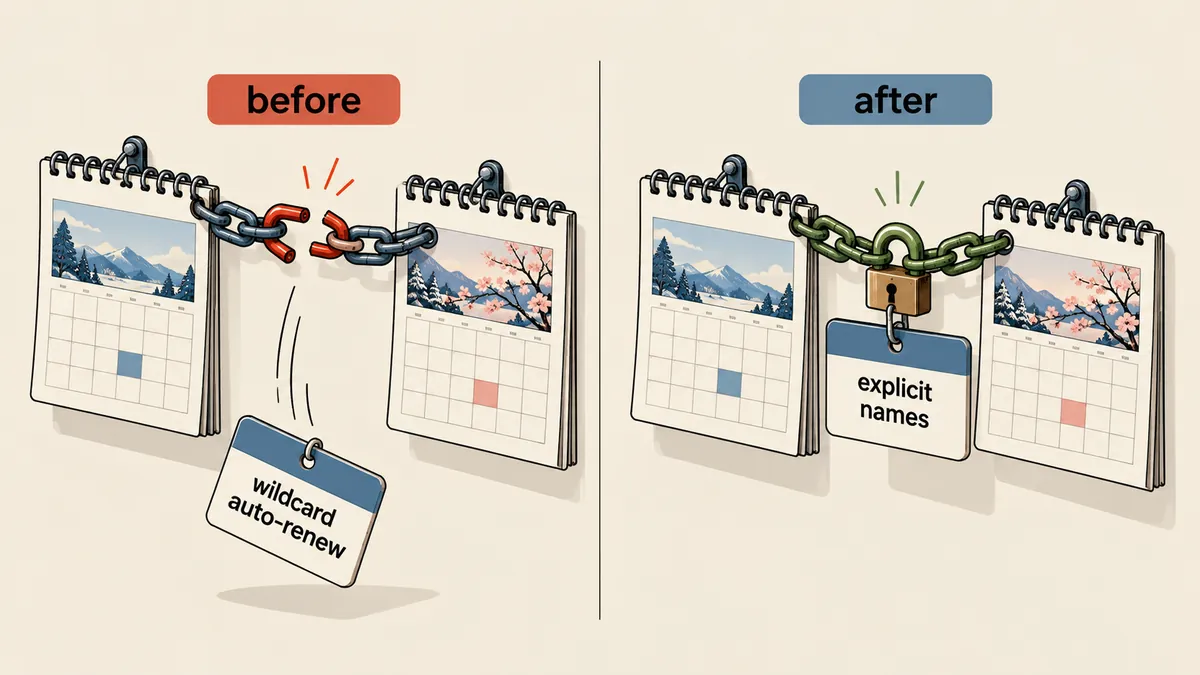
I stopped using wildcard certificates for domains whose NS had moved and reissued certificates listing each name explicitly (apex, www, mail, pop, smtp, ftp, and subdomains). Let's Encrypt validates these using HTTP-01: placing a file under /.well-known/acme-challenge/ and fetching it over port 80, without touching DNS at all. These certificates can keep renewing automatically as long as the names still point to us.
I wrapped the steps in a single helper (stored on the server at /usr/local/sbin/le-reissue). It always starts by backing up the certificate, key, conf, and snidomains files, along with a RESTORE.md file. It then builds a SAN list from the domain's standard names and the subdomains present in DirectAdmin, selecting only names whose public A records match this server's IP (the example below is shortened to the standard names).
IP=203.0.113.10
NAMES=()
for h in "$D" "www.$D" "mail.$D" "pop.$D" "smtp.$D" "ftp.$D"; do
  a=$(dig +short A "$h" @1.1.1.1 | grep -E '^[0-9.]+$' | head -1)
  # ชื่อที่ชี้ไป Cloudflare (proxy) ข้ามไปก่อน เพราะ A ไม่ใช่ IP ของเรา
  if [ "$a" = "$IP" ]; then NAMES+=("$h"); else echo "  skip $h (A=${a:-none})"; fi
done
# apex ต้องอยู่ในรายการ ไม่งั้นหยุด ไม่ออกใบ
[ "${NAMES[0]}" = "$D" ] || { echo "[ERR] apex ไม่ได้ชี้มาที่เรา"; exit 3; }
Once I had the list, I called the DirectAdmin API as the user who owned the domain, so DirectAdmin would issue the certificate and write its own mail SNI entries. I did not edit the SNI file by hand at all. $URL came from directadmin api-url --user=webuser, which includes a login key, so I have left it out of the article.
ARGS=(-s --max-time 300 -k "$URL/CMD_API_SSL" -d action=save -d "domain=$D" -d type=create
      -d request=letsencrypt -d "name=$D" -d keysize=secp384r1 -d encryption=sha256
      -d background=no -d json=yes)
i=0; for n in "${NAMES[@]}"; do ARGS+=(-d "le_select$i=$n"); i=$((i+1)); done
curl "${ARGS[@]}"
I added an optional switch to include web names behind the Cloudflare proxy as well (HTTP-01 works through the proxy), but it never includes mail names, because mail must point directly to our server without going through the proxy.
Check the actual ports, not the files
The easiest mistake in this job is believing that "new file = new certificate in use." DirectAdmin can save the new files to disk immediately, while nginx and dovecot keep the old certificate in memory until they reload. After a graceful reload, old processes can still serve the old certificate for a few seconds. I therefore made the helper reload the services, then check the actual ports with retries.
chk() {  # port host
  for t in 1 2 3 4; do
    r=$(echo | timeout 15 openssl s_client -connect "$IP:$1" -servername "$2" -verify_hostname "$2" 2>/dev/null \
        | grep -m1 'Verify return code')
    echo "$r" | grep -q ' 0 (ok)' && break
    sleep 5
  done
  echo "  $2:$1 $r"
}
nginx -t >/dev/null 2>&1 && systemctl reload nginx
systemctl reload dovecot
chk 443 "$D"; chk 465 "mail.$D"; chk 993 "mail.$D"; chk 995 "mail.$D"
If a check still sees the old certificate, do not immediately conclude that issuance failed. Wait for the scheduled retries first.
I have already covered mail tied to SNI lists and snidomains separately in Reissuing a website certificate leaves SMTPS 465 with a hostname mismatch. This article only explains why renewal stopped.
Side issues I found along the way
Two domains had SSL disabled in DirectAdmin from the start, showing SSL is not enabled, so certificates could not be issued. I could enable it through the API, but a side effect was that CGI was enabled for that user too, so I had to go back and inspect the user's config file after every run.
After that, I enabled two server-level settings, admin_ssl_install_to_missing=1 and admin_ssl_replace_all_expired_invalid=1, so DirectAdmin would install certificates for domains without one and replace expired certificates automatically. Websites behind Cloudflare in Full (strict) mode also need a valid certificate at the origin, because Cloudflare checks the certificate on our side, not just the one facing users.
I have already written about checking where NS entries point from the registration side in Nameservers at the registrar do not match the billing system, so I will skip that here.
If you request a wildcard again while the NS is still at Cloudflare, it will fail the same way, because the TXT record still will not reach Let's Encrypt. The correct fix is to change the validation method, not repeat the request. HTTP-01 also requires port 80 to be reachable from the internet and the name to point to this server. Unless both conditions are met, a certificate with explicit names cannot be issued either. And expired certificates for domains that have moved elsewhere should be left alone.
The steps I will use from now on
- Run the read-only scan every week, checking certificates with fewer than 21 days left across all domains.
- Ask an external resolver where A and NS point, and work only on those whose A records still point to us.
- Reissue with explicit names using the helper, always backing up the originals first.
- Reload nginx and dovecot (and exim if it has its own certificate), then check ports 443 465 993 995 with retries.
- Check the user's config file to make sure the helper has not unintentionally enabled extra features.
To sum up
Wildcard certificates are not inherently bad, but they are tied to DNS on the server that issues them, and nobody had documented that condition anywhere. When the condition disappeared during the NS move, the failure surfaced a month later. Personally, I choose certificates with explicit names for every domain whose customer can still move DNS to another provider, and use wildcard certificates only for domains whose NS I know I control myself. Use whichever suits your setup. If you keep control of the NS throughout, wildcard certificates still work normally.
What I want to do next is connect the scanning script to alerts, so I do not have to wait for someone to stumble across the problem. If I have left anything out or made a typo, I will come back and fix it later.
Want us to set this up?
Get help with server setup, configuration, migration, or troubleshooting. Save time for the work that matters.
Hit something like this? Stuck somewhere?
Come trade notes on the LinuxThai board



Comments 0
No comments yet — be the first