Telegram Bots Cannot Read Chat History or Start Conversations

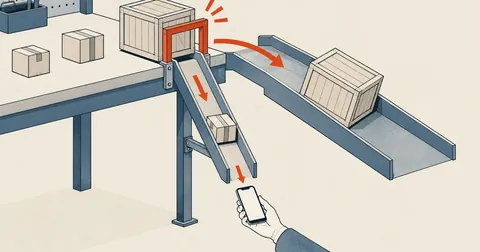
People in a group can scroll up and read a whole screen of yesterday's messages, but a bot in that same group cannot request those messages at all. What the bot has is not chat history, just a queue it can read once.
1-minute summary
- Symptom / problem
- A Telegram bot cannot read room history, queued messages vanish after advancing the offset, and it cannot message members directly
- Who should read
- People collecting photos and messages the team sends to a Telegram room for documentation
- Fix in short
- Use a collector that saves before advancing the offset, record user ids from incoming messages, and have members press Start before direct messages work
I had a documentation task that needed photos and messages from a colleague. Telegram was convenient for him, so I set up a group with three members: me, my colleague, and a bot. I thought the rest would be straightforward: have the bot download and save what he sent to the group, then send him the finished PDF. In this small task, I ended up hitting all three inbound Bot API rules and permanently losing 5 messages myself.
The group name, bot names, people's names, and id numbers in this article are examples. The API behavior, error messages, and sequence of events are real. This article covers only inbound messages, history, and starting chats. Outbound messages and file size limits are covered in Sending Files to Telegram and the 50 MB Limit, while connecting Claude CLI to a group is covered in Connecting Claude CLI to a Telegram Group on Windows.
The setup: two bots, one group
I had two bots on my machine. Bot A was the one I used to send files only to myself, with my private chat as its only destination. Bot B was a member of the new group. The work had two parts: sending PDFs to my colleague and collecting the photos and messages he sent to the group.
The first thing that happened was a delivery to the wrong person. I asked for a file to be sent to my colleague, but it landed in my own private chat because bot A knew only one destination. When I tried to fix this by sending it directly to him, I found that I did not have his user id at all. I searched everywhere on my machine and found nothing, and bot A's getUpdates was empty, which meant he had never messaged this bot. The first workaround was to send the file to the group with bot B instead and keep the message_id returned by the API as evidence.
Why the bot cannot message a group member directly
The next question was: if the bot is in the same group as him, why can it not send him a private message? The answer is that two rules apply together.
First, the bot needs to know that person's chat id, and a bot that is not an admin cannot retrieve the group's member list. The closest method is getChatAdministrators, which lists only admins. I was the only admin in this group, so that gave me nothing new.
Second, even with the id, the bot cannot start the conversation. If that person has never pressed Start with that particular bot, the API rejects the request with 403.
{
  "ok": false,
  "error_code": 403,
  "description": "Forbidden: bot can't initiate conversation with a user"
}
The way I actually got his id was to wait for him to speak in the group. I set both bots to poll every 15 seconds for 15 minutes, then asked him to type anything. He typed just ".." and I immediately had his from.id. Bot B could see this message because its privacy mode was disabled. This can be checked with getMe: can_read_all_group_messages is true. If it is false, a bot in a group sees only commands beginning with a slash and messages replying to the bot.
import json, os, urllib.parse, urllib.request

TOK = os.environ["TG_BOT_TOKEN"]

def api(method, **q):
    url = "https://api.telegram.org/bot%s/%s?%s" % (TOK, method, urllib.parse.urlencode(q))
    with urllib.request.urlopen(url, timeout=60) as r:
        return json.load(r)

me = api("getMe")["result"]
print("อ่านทุกข้อความในห้องได้:", me.get("can_read_all_group_messages"))

for u in api("getUpdates", timeout=10)["result"]:
    m = u.get("message") or {}
    f = m.get("from") or {}
    print(u["update_id"], m.get("chat", {}).get("type"), f.get("id"), f.get("first_name"))
He then pressed Start with bot B. I tried sendMessage to his id, and it worked. But bot A still could not send to him, because pressing Start applies to each individual bot, not to the bot's owner.
Being in the same group means we can talk directly
As a group member, the bot should be able to see the member list and send private messages to anyone in the group, just as a person can.
The bot needs the id, and the person must open the door
A bot sees a person's id only when that person sends a message the bot can see, and it can send a DM only after they have pressed Start with that particular bot.
5 messages permanently lost by advancing the offset
This was where the real damage happened. My colleague sent photos and messages to the group as a numbered list. While inspecting the bot's queue, I called getUpdates with a high offset to "clear" old items from the queue and tidy up the screen. As a result, the first 5 messages—2 photos and 3 text messages, covering his items 1 and 2—were permanently removed from the queue. What I managed to save started at "item 3."
The mechanism is that getUpdates does not read history; it receives items from a queue. Sending an offset equal to a particular update_id means I am confirming receipt of every update with a lower number. The server immediately deletes those items. Updates that nobody retrieves are kept for no more than 24 hours, and the Bot API has no method at all for requesting a group's past messages.
The immediate question was: the data is right there in the group, so can the bot really not read it? The answer is yes, it cannot. People in the group can see it all because their app uses the user account's client API, which is separate from the Bot API. There are two actual ways to retrieve earlier content. The first is to have someone in the group use Export chat history in the desktop app, which produces a JSON file and a folder of photos. The second is to write a program using the client API under a user account, which I did not do.
In the end, I asked him to forward the original items again and received 4 files. But checking their sizes and hashes showed that they were 2 photos, each duplicated 2 times. Forwarding also brought over only the photos; the original accompanying text, which he had typed separately, did not come with them.
Never call getUpdates with an offset beyond what has already been saved to disk, whether for testing, inspection, or clearing the queue. No command can recover skipped items. And if two programs take turns polling the same bot, one can unknowingly acknowledge items the other has not saved yet.
A collector that saves first, then advances the offset
After that incident, I rewrote the collector around one rule: finish saving everything to disk before saving the offset. If the program crashes along the way, the next run receives the same update again, which is better than losing it. The collector polls every 8 seconds and runs for 1 hour at a time. It appends messages to messages.md with the time, sender, and group name, and calls getFile for attachments before downloading them to a folder.
import datetime, hashlib, time

SEEN = {}          # sha256 ของไฟล์ -> ชื่อไฟล์แรกที่เจอ ใช้ตรวจรูปซ้ำ

def save_file(file_id, name):
    fp = api("getFile", file_id=file_id)["result"]["file_path"]
    data = urllib.request.urlopen(
        "https://api.telegram.org/file/bot%s/%s" % (TOK, fp), timeout=120).read()
    digest = hashlib.sha256(data).hexdigest()
    if digest in SEEN:
        return SEEN[digest] + " (ซ้ำ)"
    path = os.path.join("archive", name)
    with open(path, "wb") as f:
        f.write(data)
    SEEN[digest] = name
    return name

def archive(m):
    who = (m.get("from") or {}).get("first_name", "?")
    room = m["chat"].get("title") or "DM"
    kept = []
    if m.get("photo"):                     # เอาขนาดใหญ่สุดของรูป
        kept.append(save_file(m["photo"][-1]["file_id"], "p%d.jpg" % m["message_id"]))
    if m.get("document"):
        kept.append(save_file(m["document"]["file_id"], m["document"].get("file_name", "doc")))
    text = m.get("text") or m.get("caption") or "(ไฟล์)"
    with open("archive/messages.md", "a", encoding="utf-8") as f:
        f.write("- %s [%s] %s: %s%s\n" % (
            datetime.datetime.now().strftime("%d/%m %H:%M"), room, who, text,
            ("  -> " + ", ".join(kept)) if kept else ""))

offset, end = load_offset(), time.time() + 3600
while time.time() < end:
    for u in api("getUpdates", offset=offset, timeout=0)["result"]:
        if u.get("message"):
            archive(u["message"])          # 1) ลงดิสก์ก่อน
        offset = u["update_id"] + 1
        save_offset(offset)                # 2) แล้วค่อยขยับ offset
    time.sleep(8)
The order of the last two lines in the loop is the whole point. If they are reversed and the program crashes while downloading a photo, that photo will be lost just like the ones I lost manually. The tradeoff is that a crash after writing the file but before saving the offset leaves one duplicate line in messages.md, which I can accept, and the hash check already prevents duplicate files.
Once I had collected the photos, I created INDEX.md to explain what each of the 23 image files showed and which section of the document it belonged to, because filenames based on message_id tell me nothing when I open them again a month later.
I moved the permanent version of this collector into the wrapper that connects the group to Claude CLI, with a list of people whose messages are "collect only." Their messages and files are saved to the archive, never run as commands, and the bot does not reply.
Have someone in the group open the desktop app and use Export chat history for that group, with photos included. This produces a JSON file containing every message with its time and sender, along with a complete folder of photos. This method uses the permissions of a human account, not the bot, so it can see everything that person can see.
Proving that files reached the group without guessing
Another incident went the other way. The PDFs had already been sent to the group, but when I opened it, I could see the messages and not the files. The easy option was to resend them. But if I resent them without knowing what happened the first time, I would still not know whether the second attempt arrived. So I checked the evidence one layer at a time from the API side.
ROOM = int(os.environ["TG_ROOM_ID"])

# 1) ห้องที่ส่งเข้าไป ใช่ห้องที่คิดไว้ไหม และห้องถูกย้ายไปเป็น supergroup หรือยัง
c = api("getChat", chat_id=ROOM)["result"]
print(c.get("title"), c.get("type"), "migrate:", c.get("migrate_to_chat_id"))
print("สมาชิก:", api("getChatMemberCount", chat_id=ROOM)["result"])

# 2) ส่งข้อความทดสอบ ดูว่า message_id เดินต่อจากของที่ส่งไฟล์ไว้
t = api("sendMessage", chat_id=ROOM, text="ทดสอบลำดับข้อความ")["result"]
print("message_id ใหม่:", t["message_id"])

# 3) สั่ง copy ข้อความที่มีไฟล์ ถ้าไฟล์ไม่มีจริง คำสั่งนี้จะไม่ผ่าน
r = api("copyMessage", chat_id=ROOM, from_chat_id=ROOM, message_id=426)
print("copy ได้ message_id:", r["result"]["message_id"])
The results were that getChat confirmed the expected group name, group type, and member count. There was no migrate_to_chat_id. The two files I had sent received message_id 426 and 427, the test message received 428 immediately after them, and copyMessage succeeded for message 426, which was possible only if that message actually existed in the group with its attachment. The files had been in the group from the start; I had simply overlooked them.
Responses from sendDocument and sendMessage always include a message_id. Log it with the filename and chat id every time. It is the one piece of evidence that answers was it actually sent, and to which group? If you did not keep it, the only option left is to resend and hope it arrives.
Asking with images gets faster answers than text
The last lesson was more about people than the API. While preparing the document, I had 4 points to ask my colleague about. The first time, I sent plain text numbered 1 through 4. He was confused and did not know which part of the document each item referred to. I switched to an album of 4 images sent with sendMediaGroup, each with a red box around the area in question and a short caption underneath. I immediately got answers to 2 of the questions.
{
  "chat_id": "<ROOM_ID>",
  "media": [
    { "type": "photo", "media": "attach://q1", "caption": "ข้อ 1: ช่องนี้ใส่ค่าไหน" },
    { "type": "photo", "media": "attach://q2", "caption": "ข้อ 2: หัวตารางใช้คำนี้ถูกไหม" },
    { "type": "photo", "media": "attach://q3", "caption": "ข้อ 3: ลำดับขั้นตอนตรงนี้" },
    { "type": "photo", "media": "attach://q4", "caption": "ข้อ 4: รูปนี้ใช้ประกอบหน้าไหน" }
  ]
}
The media object is sent as one field in a multipart request, with the image files attached as fields named q1 through q4, as referenced by attach://. The caption text above demonstrates the format; these were not the actual questions from the task.
The inbound rules I follow after this task
| What I want to do | Is it possible? | What it takes |
|---|---|---|
| Read old group messages | No | Export from the desktop app, or ask the sender to forward them again |
| Receive new group messages | Yes | Disable privacy mode, then poll or use a webhook |
| Learn a member's user id | Once they send a message | Read from.id from the update |
| Send a DM to a member | After they press Start | Start applies to each individual bot |
| Recover updates already skipped by the offset | No | Always save to disk before advancing the offset |
- Check
getMefirst to see whether the bot can read every message in the group or only commands - Have only one program poll each bot, and save the offset to a file
- Save messages and download files to disk before advancing the offset
- Do not leave the collector stopped for more than 24 hours if the group's content matters
- Check for duplicate files using hashes, especially forwarded files
- To message someone directly, have them type once in the group to get their id, and press Start with the bot that will send the message
- Keep the message_id of everything sent, so it can be verified with copyMessage
I think every misunderstanding in this task came from one assumption: that a bot is a group member in the same way a person is. In reality, a bot sees the group through a queue it can read once, has no memory of the group, and cannot start talking to anyone unless that person opens the conversation first. Once I designed around these three rules from the beginning, the collector was straightforward. Use a webhook instead of polling, or a database instead of files, if that suits you. The rule of saving before acknowledging receipt remains the same. If I have left anything out or made a typo, I will come back and correct it later.
Hit something like this? Stuck somewhere?
Come trade notes on the LinuxThai board


Comments 0
No comments yet — be the first