46,259 Legacy Form Rows: Sorting Spam Without Losing Real Contacts

When a table is 98% spam, it is tempting to delete the whole thing and be done with it. But the remaining two percent contains real customers, and an overly broad filter will delete their records before anyone notices.
1-minute summary
- Symptom / problem
- Four contact-form tables from an old site hold 46,259 rows, about 98% of them spam.
- Who should read
- People who must clear old form tables without deleting real customers.
- Fix in short
- Sort rows into seven classes with a reason per row, split spam words into STRONG and WEAK, and fix false positives on Thai names written in Latin letters.
I needed to move a client's old website to a new host. Before the move, I went through the existing database to see what needed to come along, and found four tables storing contact form messages, totaling 46,259 rows. Looking at the first ten rows was enough to see that almost everything was spam. I estimated roughly 98%, because the original forms had no captcha, no honeypot, nothing. Anyone could write a script to hit them and get a row into the table every time.
My first thought was to delete all four tables and start over. But the client insisted that real inquiries were mixed in, and wanted them back. So I had to do something harder than deleting: sort the rows into real people and junk, without leaking anyone's personal information somewhere it did not belong.
I made up all the filenames, table names, and example messages in this article. None contains anyone's actual data, but the rules and bugs I describe are real.
Before writing rules: decide what the output needs to be
Before writing the first regex, I had to decide what the output would look like, because that determined what the rules needed to tell me.
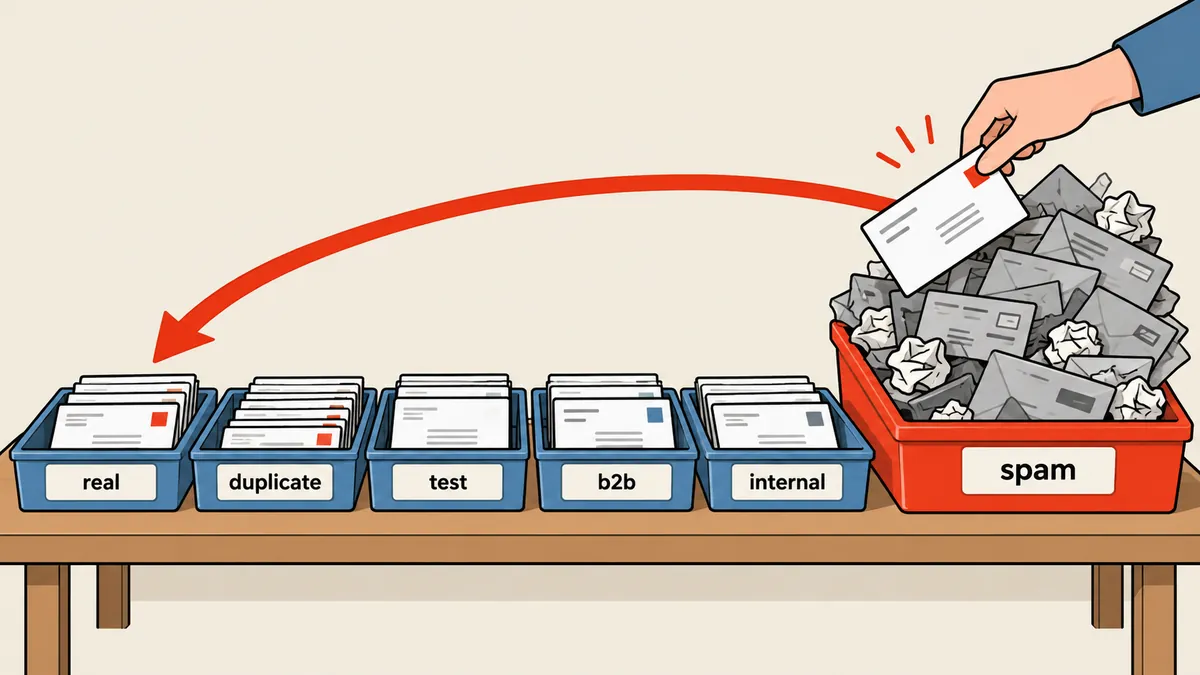
I set three requirements. First, the output would be a single sqlite table named rows, with columns table, id, class, reason, dup_of: every source row needed a decision and a one-line reason, with no row discarded without anyone being able to explain why. Second, there would be exactly seven classes: real, duplicate, internal, test, b2b, spam, unsure. Third, the script would print counts only, never row contents to the screen or logs, and both the sqlite output and exported files would have chmod 600 permissions.
# triage_schema.py — โครงผลลัพธ์ ตัดสินใจก่อนเขียนกฎใด ๆ
import sqlite3, os

CLASSES = ('real', 'duplicate', 'internal', 'test', 'b2b', 'spam', 'unsure')

def open_db(path):
    db = sqlite3.connect(path)
    db.execute("""CREATE TABLE IF NOT EXISTS rows(
        tbl TEXT NOT NULL, id INTEGER NOT NULL,
        class TEXT NOT NULL CHECK (class IN %s),
        reason TEXT NOT NULL,          -- ทุกแถวต้องมีเหตุผล
        dup_of INTEGER,                -- ชี้ไปแถวแรกที่ซ้ำกัน
        PRIMARY KEY (tbl, id))""" % (CLASSES,))
    os.chmod(path, 0o600)              # มีข้อมูลส่วนบุคคลอยู่ข้างใน
    return db
The reason column helped me more than anything else later on. When I found a misclassified row, I could search by reason to identify the rule that had failed, then fix that rule alone.
A script that sorts personal data must not print the contents to the screen, because screen output gets copied, captured and pasted into chats, and saved in logs. I made it print only counts per class, such as spam: 41,xxx. To inspect a particular row, I open the file with 600 permissions myself.
Rules run in order: the first match decides
All the rules run in sequence. Each row passes through them one at a time, and the first matching rule assigns its class; there is no need to check the next one. This order matters more than it might seem, because the most certain rules must come before the ones based on guesses.
These are the rules I actually used, in their order in the script.
- Scanner payloads, such as
waitfor delay,sleep(,extractvalue, email addresses on theexample.comdomain, and test card numbers starting with 4111. These come from vulnerability scanning tools probing the forms, not real people typing, so I can classify them asspamimmediately. - STRONG spam terms: words that real people would have almost no reason to write in a contact form.
- Tester identities: email addresses or phone numbers belonging to people who tested the forms while building the site. These get the
testclass, and this rule extends across all tables: wherever that identity appears, it istest. - Random-letter names of the sort bots tend to enter.
- Thai characters or a Thai phone number get the
realclass. Spam sent millions of times almost never contains correctly written Thai. - WEAK terms, which require other supporting signals. This needs enough detail to warrant its own section.
The remaining classes serve supporting roles. Rows with the same identity and subject are duplicate, with dup_of pointing to the first row. Contacts writing in another language about something relevant to the client's work are unsure: retained, but not imported. Business partnership proposals are b2b, also retained but not counted as customers. Addresses belonging to employees in the organization are internal, and all other records with the same identity follow that classification.
STRONG and WEAK: one word is not enough to decide
The first bug I ran into came from trying to make things too simple. I started with a single list of spam terms: if any word on the list appeared, the row was spam. That put real customer rows at risk of being classified as spam too, because some words used in spam were also normal terms in the client's business.
So I split them into two levels.
Words real people rarely write
A single match is enough to classify a row as spam, because there is no ordinary reason for a customer to write that word in this website's contact form.
Normal terms in this business
Examples include delivery, invoice, bonus, SEO, web design. Real customers write these too, so they count as spam only when they appear in the name field or have other supporting signals.
My rule for WEAK terms required one STRONG term, two distinct WEAK terms, or one WEAK term in the name field. They had to be distinct because a real person writing "your website" while discussing their own website could use that phrase two or three times in one message. Counting repeated occurrences of the same term would lead to the wrong decision.
# classify_words.py — STRONG กับ WEAK (รายการตัวอย่างสมมติ ไม่ใช่รายการจริง)
import re

STRONG = re.compile(r'\b(?:casino|viagra|crypto\s+airdrop|loan\s+offer)\b', re.I)
WEAK_WORDS = ['delivery', 'invoice', 'bonus', 'seo', 'web design', 'your website']
WEAK = [re.compile(r'\b' + re.escape(w) + r'\b', re.I) for w in WEAK_WORDS]

def spam_signal(name, message):
    """คืน (is_spam, reason) — พิมพ์เหตุผลลงตาราง ไม่พิมพ์เนื้อหา"""
    text = f'{name}\n{message}'
    if STRONG.search(text):
        return True, 'strong-word'
    in_name = [i for i, rx in enumerate(WEAK) if rx.search(name)]
    if in_name:
        return True, 'weak-in-name'
    hit_kinds = {i for i, rx in enumerate(WEAK) if rx.search(message)}
    if len(hit_kinds) >= 2:                  # ต้องเป็น "คนละคำ" ไม่ใช่คำเดิมซ้ำ
        return True, 'weak-x2'
    return False, ''
Before matching, I always stripped zero-width characters from the text, because a fair amount of spam inserts invisible characters inside words to evade filters. A regex will miss "bonus" with invisible characters between its letters unless those characters are removed first.
The most painful false positive: Thai names written in Roman letters
My original STRONG list included the string porn. I used a plain substring search to check whether that sequence of letters appeared in the name or message. Straightforward enough, and when I first ran the script on real data, I looked only at the counts per class. Everything looked normal.
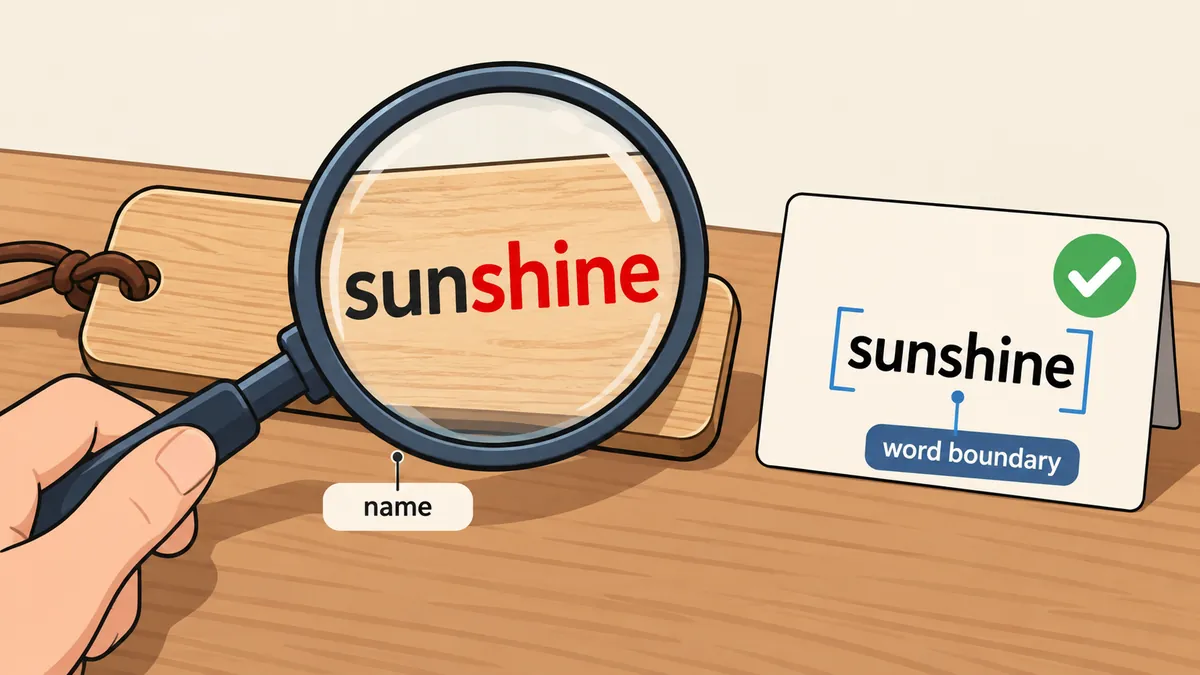
The reason column was what made me look closer. I sampled the reasons in the group classified as spam by STRONG term rules and noticed rows with names that were clearly Thai. Opening just one row explained it: many Thai names written in Roman letters end with the sound "พร", spelled with the same sequence of letters I was searching for. People contacting the site under their real names had been classified as spam because of the last four letters of their names.
I will not show any names here, but Thai readers can imagine how many names fit this pattern.
The fix was to use word boundaries and explicitly define the accepted forms, instead of searching for a raw substring.
# เดิม: ค้นสตริงดิบ จับชื่อคนไทยที่ลงท้ายเสียงนี้ไปด้วย
BAD_OLD = re.compile(r'porn', re.I)

# ใหม่: ต้องเป็นคำทั้งคำ และมีแค่สองรูปที่ยอมให้ติด -o หรือ -hub
BAD_NEW = re.compile(r'\bporn(?:o|hub)?\b', re.I)

# ชุดตรวจ: ชื่อไทยแบบโรมันที่ลงท้ายเสียงเดียวกัน ต้องไม่ถูกจับ
assert not BAD_NEW.search('Somchai Xxxporn')      # ชื่อสมมติ ลงท้ายเสียงพร
assert BAD_NEW.search('free porn videos')
assert BAD_NEW.search('porno')
A filter that works well on the 98% that is spam can still lose real records. Before deleting anything, sample the rows classified as spam one rule at a time, using reason, and look for rows that resemble real people. The smallest counts under each rule are where false positives hide.
Small rules that helped prevent mistakes
I added a few more rules after encountering real cases. They were not particularly striking, but they reduced errors considerably.
The random-letter name detector initially caught some real names too, because names written in Roman letters contain many consonant pairs, such as ch, th, ph, kh, ng, sh. So I made the detector skip these digraphs before measuring how random a name looked, and skip words written entirely in uppercase, because initials or short organization names can also be all caps.
A malformed email address alone does not count as spam if the message itself is genuine. Plenty of people mistype their email address when in a hurry. Discarding a row because the email is wrong would needlessly lose a customer who actually wanted to get in touch.
I counted traffic from Tor exit nodes with no Thai text as a spam signal. For IP ranges belonging to major Thai internet providers, I used them only in the opposite direction: to promote unsure to real, never to classify a row as spam. My IP range list was approximate, so using it to discard rows risked discarding the wrong ones. Promoting rows to real was safer, because a mistake would only mean retaining one extra row that was not a customer.
I classified stock filler such as 111 222, aaa bbb, email addresses using @111.com, noemail, and test words, including misspellings of test, as test rather than spam. These were people playing with the form, not bots. Keeping them separate made the spam counts more accurate.
Registration bots from 2020 to 2023 created names using random name generators. Those names had distinctive features: titles such as Mr/Mrs/Dr, or suffixes such as Jr/III. I treated these as signals, because real people contacting a business through a form almost never include titles like these in the name field.
Tests: a synthetic set of 30 rows
A script like this needs a test set with known answers before it runs on real data. I created 30 synthetic rows, all made up, with no real data: 20 spam rows, 5 real customer rows, 2 Romanized Thai names ending in the sound พร, and 3 duplicate rows. Then I ran the script and compared the results with the expected classes.
# รันบนชุดสมมติเท่านั้น ไฟล์ผลสิทธิ์ 600
$ python triage.py --db /tmp/sample.sqlite --source sample_30.json --counts-only
$ sqlite3 /tmp/sample.sqlite "SELECT class, COUNT(*) FROM rows GROUP BY class"
# ผลที่ต้องได้: spam 20, real 7, duplicate 3
The expected counts were 20 spam, 7 real (5 real customers plus 2 Romanized Thai names), and 3 duplicates. If the results differed, a rule had made the wrong decision, and I could investigate through the reason column of the misclassified rows. I made this set an automated test and kept those two Romanized Thai name rows as permanent cases, so if a future rule change brought the old bug back, the test would catch it first.
What I did with the results
After all the rules had run, I had a rows table with a class and reason for every row, and imported only real. I kept unsure and b2b in files for the website owner to review if needed, without automatically importing them as customers. I did not want to decide on the owner's behalf whether partnership proposals or contacts writing in another language should count as customers.
I took five lessons from this work.
- A single spam signal is not enough to decide. Split terms into STRONG and WEAK and weight them accordingly.
- Check real data for false positives caused by terms embedded in transliterated names before deleting anything.
- Every output row needs a reason so the decision can be traced.
- The script prints counts only, and output files have 600 permissions.
- Public forms need captcha or a honeypot from day one, or there will be more tables like these.
That last point was the cause of the whole problem. New forms need a honeypot and captcha when they are built, because the four tables I had to sort through were the result of forms left wide open for years. Given the choice, I find adding captcha at the start much cheaper than writing a classifier later. Feel free to adapt these rules to your own word lists and fields. If I have left anything out or made a typo, I will come back and fix it later.
Want us to set this up?
Get help with server setup, configuration, migration, or troubleshooting. Save time for the work that matters.
Hit something like this? Stuck somewhere?
Come trade notes on the LinuxThai board


Comments 0
No comments yet — be the first