One Bot Allowlist Config and Why Cloudflare Must Use csf.ignore

An allowlist without a reason for every entry will eventually let strangers in. This article explains how I consolidated mine into one file, and why CDN edges belong in ignore rather than allow.
1-minute summary
- Symptom / problem
- The list of bots that must not be banned is scattered, and Cloudflare Workers can open TCP to any port
- Who should read
- Server admins using CSF who must keep good bots and Cloudflare from being banned
- Fix in short
- Keep the bot list in one config file with a min=N safeguard, let a daily script write it into csf.ignore and csf.rignore, and put Cloudflare in csf.ignore rather than csf.allow.
I had several websites on the same server that depended on search traffic. The administrator wanted to keep important bots—search engines, AI assistants that search the web, SEO tools, and link preview generators—from getting banned by the firewall along the way. My first version was a single script with IP sources embedded in the code (I covered it in the story of Googlebot getting permanently banned). It worked, but every time I needed to add or remove a provider, I had to edit the code, and the list embedded in that code had nowhere to explain why a provider was excluded.
This article covers the second version. The list lives in one config file, a daily script reads it and writes to the firewall, and I give deliberate exclusions as much weight as inclusions. I use generic names and documentation example IP addresses throughout this article because the server's actual list is something I should not disclose.
One config file
Each line is one source, in the format name kind args [min=N] [noda]. A line starting with # is disabled, and the comment above each line is where I write the reason, which I consider the most important part of this file.
# sources.conf  (ตัวอย่างกลางๆ ไม่ใช่รายการจริง)
# name      kind    args                                         options
search-a    json    https://vendor-a.example/ranges.json         min=5
search-b    text    https://vendor-b.example/cidr.txt            min=3
tool-c      static  198.51.100.0/25
social-d    asn     AS64500                                      min=5
nolist-e    rdns    .crawl.vendor-e.example
edge-f      text    https://cdn-f.example/v4.txt https://cdn-f.example/v6.txt  min=10 noda

# ปิดไว้ตั้งใจ: crawler ที่ใช้ฝึกโมเดลอย่างเดียว
#train-g    json    https://vendor-g.example/ranges.json         min=5
The five kinds I use mean the following:
jsonThe provider's own prefix list file, in the form{"prefixes":[{"ipv4Prefix":"..."}]}, a format several search engines use.textA plain text CIDR file with one range per line.staticIP ranges written directly in the file, for providers that publish only one subnet.asnThe AS number of a network owned by the provider, used to fetch the ranges that AS actually announces in BGP.rdnsA hostname suffix, for bots that have no IP list but can be verified through DNS. This goes intocsf.rignorefor lfd to check using forward-confirmed reverse DNS.
I explain the min=N and noda options in the next section. To use this setup, edit the file, leave the script alone, and always run the script with --dry-run to check first.
How each kind is fetched, and the min=N safeguard
If a source changes its JSON format or its server is down when the script runs, the worst outcome is not an error. It is an empty list overwriting yesterday's list, followed by every bot from that provider getting banned overnight. So I have one rule: if a fetch fails or returns fewer IP ranges than min, treat the fetch as broken and keep using yesterday's cache.
def load_source(src, cache):
    try:
        ranges = FETCHERS[src.kind](src)          # json / text / static / asn
    except Exception as e:
        log.warning("%s: fetch failed (%s) -> keep yesterday", src.name, e)
        return cache.read(src.name)

    if len(ranges) < src.min:
        log.warning("%s: %d ranges < min=%d -> keep yesterday", src.name, len(ranges), src.min)
        return cache.read(src.name)

    cache.write(src.name, ranges)                 # ผ่านด่านแล้วค่อยทับ cache
    return ranges
I set min reasonably below the actual count, but not to zero. Set it too high and a provider that naturally reduces its IP ranges will be treated as broken; set it too low and it does nothing useful. The right value depends on how many ranges each provider actually publishes.
For asn, I fetch data on ranges the AS actually announces in BGP (through RIPEstat), and never use IRR objects. The reason is that anyone can register IRR data themselves. Treating it as a trusted source would amount to letting strangers write my allowlist. The noda option is for sources that should go only into csf.ignore, without being added to the control panel's whitelist.
The output is written as a block with start and end markers in each destination file. The script touches only the contents of that block, so manually added lines outside it remain intact, and it restarts lfd only when the ignore or rignore file actually changes. I schedule it to run once a day in the early morning. The destination files look like this after the script writes them, with manual entries above the block and script-generated entries inside it.
# /etc/csf/csf.ignore  (ตัวอย่างกลางๆ)
127.0.0.1
# BEGIN bot-allowlist (managed) -- อย่าแก้ในบล็อกนี้ ไปแก้ที่ sources.conf
198.51.100.0/25      # tool-c
203.0.113.0/24       # search-a
# END bot-allowlist (managed)
import re

BEGIN = "# BEGIN bot-allowlist (managed)"
END   = "# END bot-allowlist (managed)"

def replace_block(text: str, lines: list[str]) -> str:
    block = BEGIN + "\n" + "\n".join(lines) + "\n" + END
    pat = re.compile(re.escape(BEGIN) + r".*?" + re.escape(END), re.S)
    return pat.sub(lambda m: block, text) if pat.search(text) else text.rstrip("\n") + "\n" + block + "\n"
# crontab ของ root  (ใช้พาธเต็มทั้งหมด)
20 4 * * * /usr/local/sbin/allowlist-sync.py >> /var/log/allowlist-sync.log 2>&1
I ran into one issue while working on this version. The first version of the script called csf without its full path, which cron could not find because its PATH did not include /usr/sbin. The temp ban scan and unban steps therefore failed silently every day, leaving only WARN lines in the log. I fixed it by using the full path. I have already covered cron's PATH in cron failing silently because of log redirection, so I will leave it at that here.

Exclusions matter as much as inclusions
An allowlist that keeps growing without anyone asking "why include this?" will eventually let strangers in. So I write the selection rules in the file's comments and follow them every time I add a line.
I follow three rules. First, include only providers that publish their own official lists or own the network themselves. Second, if an IP range belongs to a cloud platform where any customer can run code, exclude it, because allowing the whole range means allowing strangers. A clear example is a fetcher running on a major cloud provider's app platform that anyone can rent. Third, exclude providers with neither an IP list nor rDNS to verify, however much I might want to include them.
For crawlers that only collect data for model training, I deliberately leave their lines disabled, but keep those lines in the file as comments so that changing my mind later only requires removing #. Whether to enable them is up to the website owner. I just do not want them enabled without a decision.
Cloudflare must be in csf.ignore, not csf.allow
This is the point I most want people to remember. Both files seem to do the same thing—"do not ban this IP"—but their meanings are very different.
Just prevent bans
lfd will not block this IP when it detects suspicious behavior, but the firewall still applies its existing rules. Ports that are closed remain closed to this IP.
Open every port
The firewall lets this IP access every port, including SSH and other management ports.
# /etc/csf/csf.ignore   lfd ไม่แบน แต่พอร์ตยังเป็นไปตามกฎเดิม
203.0.113.0/24

# /etc/csf/csf.allow    เปิดทุกพอร์ตให้ IP นี้  <-- ห้ามใส่ edge ของ CDN ที่นี่
# 203.0.113.0/24
Cloudflare edges belong on the ignore side because Cloudflare Workers can open outbound TCP connections to any host and port. Putting Cloudflare's IP ranges in csf.allow would mean that anyone who writes a Worker and makes an outbound connection could reach my server's SSH port from an address the firewall trusts. By comparison, csf.ignore, which opens no additional ports, is far safer. So I made it a rule in the config file that this kind of source can go only one way.
If a trusted IP list comes from a network anyone can rent, such as a CDN, cloud platform, or serverless service, never put it in csf.allow. Use csf.ignore only. And remember that this file is the policy for one server. Before applying it to another machine, read the CSF documentation and test until you understand the behavior.
There is another detail worth knowing: users of some consumer VPN services also reach the internet through Cloudflare addresses. I once saw a temp ban on what looked like a Cloudflare address, checked it, and found a VPN user hammering xmlrpc hard enough to trigger the flood protection rule, which was correct. So I left the ban in place instead of removing it. Keeping edge IPs from being banned therefore does not mean exempting everyone behind the edge from bans.
Keep nginx's real_ip list in sync with the actual ranges
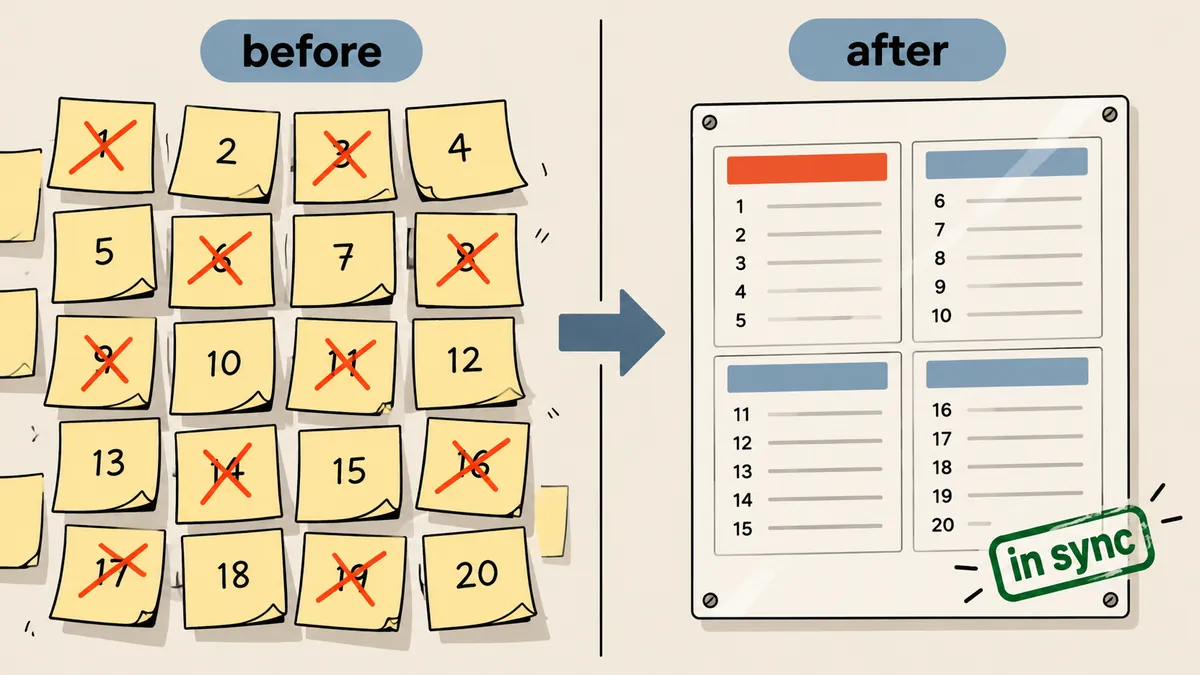
Another daily step that runs alongside this is updating the list of Cloudflare IP ranges nginx uses for set_real_ip_from, so it can see visitors' actual IP addresses. This file is normally written by the control panel's build system and gets rewritten on every build. If Cloudflare announces a new range, the file becomes outdated without anyone noticing. So I wrote a small script that compares the announced ranges with the file. If they match, it prints in sync and exits. Only if they differ does it write a new file, and nginx -t must pass before it reloads; if the test fails, it immediately restores the original file.
#!/bin/bash
# sync-realip.sh  (ตัวอย่างกลางๆ) เขียนไฟล์ใหม่เฉพาะเมื่อชุดช่วง IP เปลี่ยนจริง
set -euo pipefail
CONF=/etc/nginx/realip-edge.conf
NEW=$(mktemp)

{ curl -fsS https://cdn-f.example/v4.txt; echo; curl -fsS https://cdn-f.example/v6.txt; echo; } \
  | grep -E '^[0-9a-f:.]+/[0-9]+$' | sort -u | sed 's/^/set_real_ip_from /; s/$/;/' > "$NEW"

[ "$(wc -l < "$NEW")" -ge 10 ] || { echo "too few ranges, abort"; exit 1; }

if diff -q <(sort "$CONF") <(sort "$NEW") >/dev/null; then echo "in sync"; exit 0; fi

cp -a "$CONF" "$CONF.bak"
install -m 644 "$NEW" "$CONF"
if nginx -t 2>/dev/null; then systemctl reload nginx; echo "updated"
else cp -a "$CONF.bak" "$CONF"; echo "nginx -t failed, restored"; exit 1; fi
Notice that the minimum-count check follows the same principle as min=N above: a broken fetch must not overwrite working data. I reuse this principle in every script that changes settings on a live machine.
Checks on the first day after enabling it
After enabling it, I sampled logs throughout the day to check that the new list had not unintentionally opened access to anyone. I found two interesting things.
- A number of requests each day claimed to be Googlebot, and ModSecurity returned 406 for all of them. Tracing their origins showed cloud VM IP ranges scanning for
.envand.htpasswdfiles, so those blocks were correct. The real Googlebot hit ModSecurity only once, and the sitemap returned 200. - The whitelist only prevents IP bans. ModSecurity still inspects every request as before, which is what I wanted.
- Edit
sources.conf, adding or commenting out lines and writing the reason in the comment above each line. - Run the script with
--dry-runand check that the number of IP ranges per source makes sense. - Check that no source unexpectedly reports keep yesterday.
- Run it for real once, then check that lfd restarts only when a file actually changes.
- Open the next day's logs and check whether requests claiming to be bots but receiving 406 come from IP ranges I deliberately chose not to trust.
Compared with the mail whitelist I wrote about earlier, that addresses a different issue: letting legitimate mail senders through. This article deals only with web bots.
To put it as briefly as possible, I think a good allowlist needs three things: one place to maintain it, a reason for every entry, and clear rules about what is not allowed. How to group entries or what value to set for min can depend on each machine. I will come back and add more later.
Want us to set this up?
Get help with server setup, configuration, migration, or troubleshooting. Save time for the work that matters.
Hit something like this? Stuck somewhere?
Come trade notes on the LinuxThai board



Comments 0
No comments yet — be the first