AI CLIs Log Out at Night: A Watchdog Sends Links via Telegram

A system running unattended all night can fail in two ways. The first fails loudly. The second fails silently. A CLI token expiring at night is the second kind, so it needs a watcher that knows how to ask the owner to get up and log in again.
1-minute summary
- Symptom / problem
- A CLI AI token expires overnight and automated jobs stop silently with no visible error.
- Who should read
- People running unattended jobs that depend on Claude, Gemini or Codex CLI subscription logins.
- Fix in short
- A watchdog checks login state by asking directly, sends the login link to the owner over Telegram, takes the code back through a tmux buffer, and applies anti-spam and no-overlap rules.
One morning I opened my phone and found that a bot on a client's website had not responded to anything since 3 a.m. The machine's logs showed no crash, no exception, and all the processes were still running. The cause was the login token for the CLI the bot called: it had expired during the night. Every turn returned only a message asking for a new login, and nobody was there to log in. The entire night's work had stopped without any signal.
This set of automated jobs relies on three CLIs logged in with the owner's subscription accounts: Claude Code, Antigravity (agy running Gemini) and Codex on the GPT side. None uses an API key. All three have different session lifetimes and can expire at any time. I did not want to solve this by watching a screen all night, and I did not want to store passwords so the machine could log in on the owner's behalf. I chose a third approach: have the machine "ask" the owner, who then logs in from a phone.
This system stores no passwords, stores no tokens, and fills in nothing on the owner's behalf. It only gets the real link into the owner's hands as quickly as possible, then takes the code the owner copies and pastes it into the CLI. Anyone implementing this must restrict replies to the owner alone and must never put tokens or login codes in public places or logs.
Symptoms: Everything is quiet, but nothing has crashed
The annoying part is that nothing looks wrong from the outside. The bot process is still polling for messages, systemd says it is active, and every health check that only checks whether the process is alive passes. The problem is one layer deeper: the CLI the bot calls is no longer authorized to work.
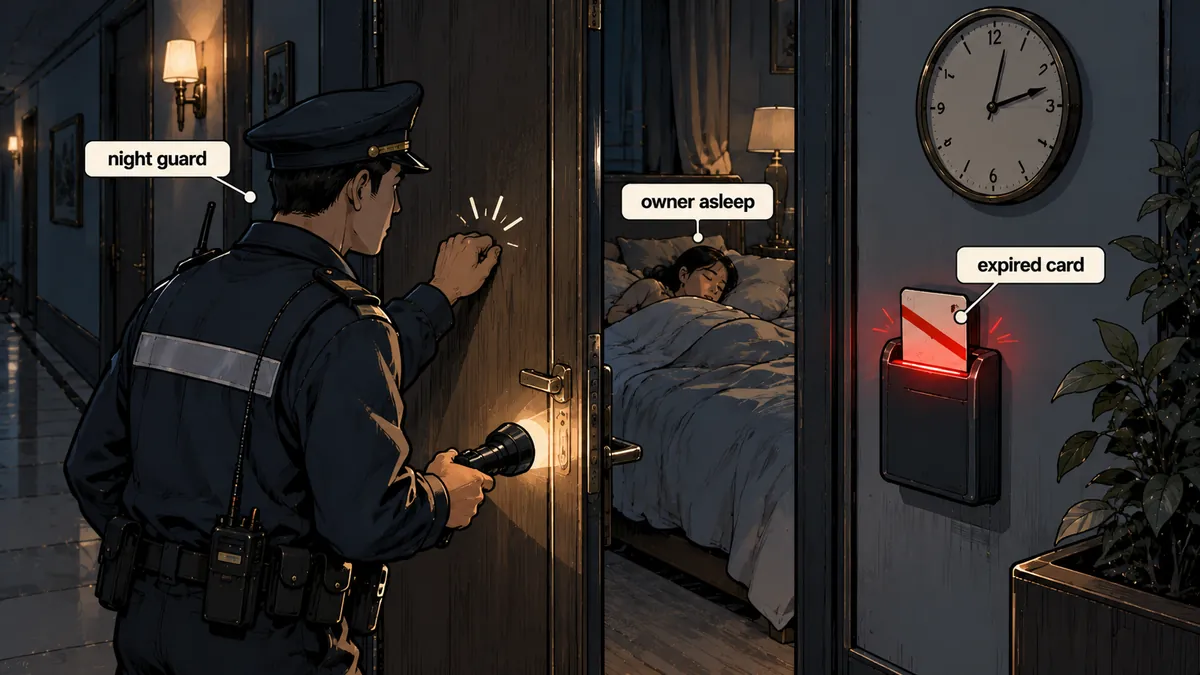
I counted three ways this failure could happen. The first is a token reaching its expiry time. The second is the account being forcibly logged out. The third is moving to another machine or clearing the config folder. All three end with the same message: "not logged in." What I need to do, then, is query the status directly before use, rather than wait for a job to fail and then dig through logs.
Check status directly, rather than guessing from error messages
All three have inexpensive commands that consume no quota and report whether they are logged in. I use these commands as the sole basis for that decision.
# claude: JSON มีฟิลด์ loggedIn
claude auth status | python3 -c 'import sys,json; print(json.load(sys.stdin).get("loggedIn"))'

# agy: ไม่มีคำสั่ง status โดยตรง ใช้การขอรายการโมเดลแทน
agy models 2>&1 | grep -q "Please sign in" && echo LOGGED_OUT || echo OK

# codex: exit code 0 = ล็อกอินอยู่, 1 = ไม่ได้ล็อกอิน
codex login status; echo "rc=$?"
agy models needs some care because it has no actual status command. I treat a message asking the user to sign in as a signal that it is logged out. When logged in, it prints the model list, which signals that things are normal.
| CLI | Check status | Start login | Code must be pasted back |
|---|---|---|---|
| claude | claude auth status (check loggedIn) |
claude auth login prints a URL and waits on stdin |
Must paste code#state |
| agy | agy models (message asking to sign in) |
Select Google OAuth, option 1, in the TUI | Must paste the code shown on the web page |
| codex | codex login status (rc 0 or 1) |
codex login --device-auth |
No; the owner enters the code on the web page |
I find Codex the easiest to log in to because device-auth prints a link and a one-time code. The owner opens the link on a phone, enters the code, and that is it. The command exits on its own, with nothing needing to come back through chat. But that code expires after 15 minutes, so I set the Codex attempt lifetime shorter than the others accordingly.
The cycle for asking the owner to log in again
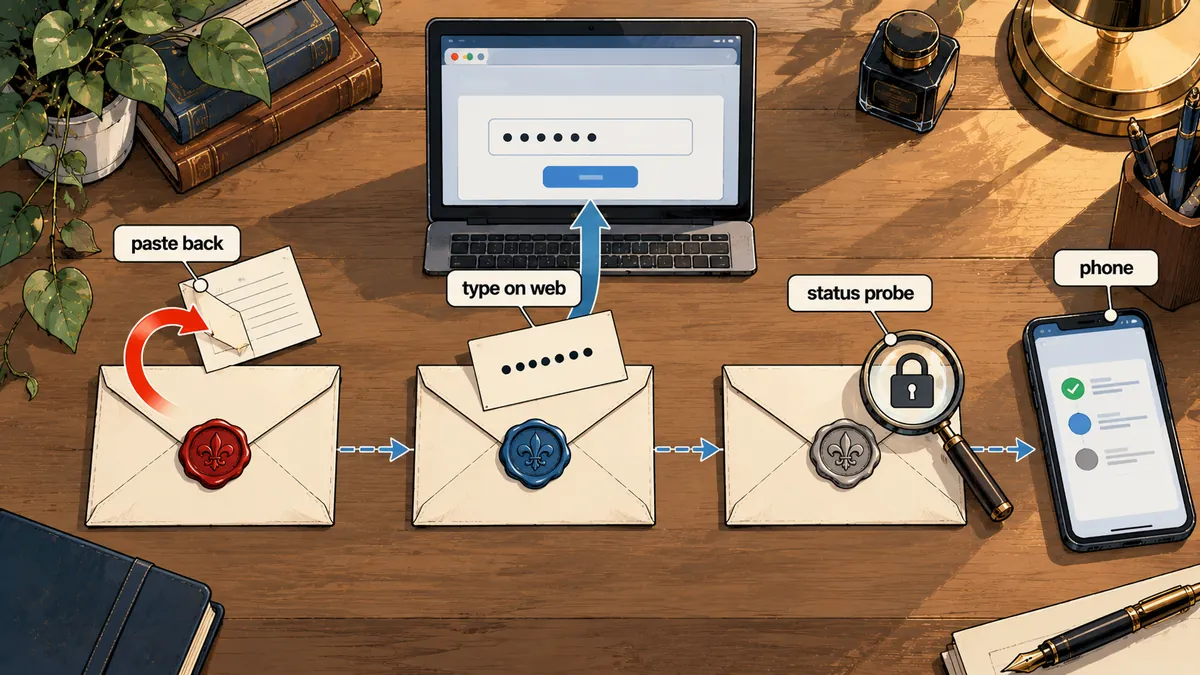
The watchdog runs every 2 minutes. The bot itself also checks Claude every 5 minutes, and immediately whenever a turn fails with an auth error. If a check finds it logged out, it starts one login attempt in a separate tmux window and sends the link to the owner's chat. This system requires Linux and tmux. I do not support Windows because it needs a console that stays open and visible.
The system follows these steps, in the order they appear in the actual chat.
- The watchdog sees that a CLI is logged out and first checks whether that tool already has a pending attempt. If it does, it does not start another.
- It opens a new tmux window in the bot's tmux server and runs that tool's login command there.
- It reads the URL (and Codex's one-time code) from the window's screen and sends it to the owner's chat, identifying the tool.
- The owner opens the link on a phone, logs in to their own account, copies the code shown on the web page, and replies in the chat.
- The bot pastes the code into the window through a tmux buffer, then runs the status command again.
- If it passes, the bot closes the window and reports success. If it fails, it reports the error message and leaves the owner to request a new link.
While Claude is logged out, the bot continues polling Telegram normally. This matters because if polling also depended on Claude, I would have no way to receive the code back. The message receiver and the reasoning component therefore have to be separate.
Receiving the code: Paste through a tmux buffer, not argv
This is the part I am most careful about: the login code the owner sends. If I paste it by concatenating it into a command argument, such as tmux send-keys "<โค้ด>", anyone running ps on the machine can briefly see that code in argv. I send the code through stdin into a tmux buffer and paste it into the window instead.
# ตัวอย่างโครงเท่านั้น: โค้ดจริงไม่เคยอยู่ใน argv ของคำสั่งไหน
# $CODE มาจาก stdin ของโปรเซสที่รับข้อความ ไม่ได้พิมพ์ใส่บรรทัดคำสั่ง
SESSION=bot
WIN=login-claude

printf '%s' "$CODE" | tmux load-buffer -b relay -        # เข้า buffer ทาง stdin
tmux paste-buffer -b relay -t "$SESSION:$WIN" -d         # -d ลบ buffer ทิ้งทันที
tmux send-keys -t "$SESSION:$WIN" Enter                  # กด Enter แยกต่างหาก
Another detail is that Claude requires the code#state format. If the owner copies only the code without the trailing #state, the bot adds the state from the URL that was just printed. The owner does not have to hunt for the state in the address bar, because most people copy an incomplete value anyway.
def normalize_claude_code(raw: str, url: str) -> str:
    """รับสิ่งที่เจ้าของพิมพ์ แล้วคืนรูป <code>#<state> ที่ CLI ต้องการ"""
    raw = raw.strip()
    if "#" in raw:
        return raw
    state = parse_qs(urlparse(url).query).get("state", [""])[0]
    return f"{raw}#{state}" if state else raw

def masked(code: str) -> str:
    # ลงล็อกได้แค่นี้: prefix กับความยาว ไม่เคยลงค่าเต็ม
    return f"{code[:3]}...(len={len(code)})"
Logs show only a masked code: a three-character prefix and its length. Each attempt's state file stores no code at all, and that file lives under the user's memory-backed runtime folder (tmpfs). It disappears when the machine reboots. My view is that if a code is never written to disk, it can never leak from disk.
Rules against spam and overlapping attempts
A watcher that sees a problem and sends a link every 2 minutes all night is one the owner will mute within three days. I set explicit rules and kept them all in one place.
Send on every check that finds a problem
- Old links fill the chat, with no way to tell which still work
- Multiple overlapping logins start
- The owner mutes the chat and misses a real alert
One attempt per tool
- Links expire after 30 minutes (Codex 15)
- Automatic sends no more often than every 15 minutes
- No more than 4 unanswered links
To prevent overlapping attempts, I use a lock and state files in memory (under the user's runtime folder), with one file per tool. Here is a simplified outline.
import json, os, time, fcntl

RUN = os.path.join(os.environ["XDG_RUNTIME_DIR"], "login-relay")
TTL = {"claude": 1800, "agy": 1800, "codex": 900}   # วินาที
MIN_AUTO_GAP = 900                                  # ส่งอัตโนมัติห่างกันอย่างน้อย 15 นาที
MAX_PENDING = 4                                     # ลิงก์ที่ยังไม่มีใครตอบ ต่อช่วงขัดข้อง

def may_start(tool: str, manual: bool) -> bool:
    os.makedirs(RUN, exist_ok=True)
    with open(os.path.join(RUN, f"{tool}.lock"), "w") as lk:
        fcntl.flock(lk, fcntl.LOCK_EX | fcntl.LOCK_NB)  # ซ้อนอยู่ = ล้ม ไม่รอ
        st = _load(tool)                                 # ไฟล์สถานะ ไม่มีโค้ดในนั้น
        now = time.time()
        if st.get("started") and now - st["started"] < TTL[tool]:
            return False                                 # attempt เดิมยังไม่หมดอายุ
        if manual:
            return True                                  # เจ้าของขอเอง ผ่านเสมอ
        if now - st.get("last_auto", 0) < MIN_AUTO_GAP:
            return False
        return st.get("pending", 0) < MAX_PENDING
The rule I like most is "the owner can always request one." If automatic sending reaches the 4-link limit and goes quiet, the owner can still type a command to request a new link at any time. The limit prevents spam, but it should not block a person.
A false-alarm bug: 401 in token-count logs
Everything so far covers asking someone to log in, but deciding "has the login expired?" is the other half of the problem. Another watcher reads the bot's logs for messages indicating an expired login. At first I wrote a loose regex that matched 401 and token on the same line. A normal token-count line starting with [HEALTH] happened to match, and the system reported a lost login even though it was still logged in.
I made three changes.
import re

# รายการเข้ม: ต้องเป็นข้อความที่ CLI หรือ API พูดเองจริง ๆ
AUTH_RE = re.compile(
    r"authentication_error|OAuth token has expired|invalid_grant|"
    r"Invalid API key|Please run /login|not logged in|HTTP 401",
    re.IGNORECASE,
)
SKIP_PREFIX = ("[HEALTH]", "[LOGIN]")      # บรรทัดของระบบเราเอง ไม่ใช่ของ CLI

def looks_like_auth_failure(line: str, level: str) -> bool:
    if level not in ("WARNING", "ERROR"):  # INFO อ้างข้อความงานได้ อาจมีคำว่า 401
        return False
    if line.lstrip().startswith(SKIP_PREFIX):
        return False
    return bool(AUTH_RE.search(line))
- Replaced "401 and token" with a list of phrases the CLI actually emits, rather than broad word pairs.
- Skipped lines starting with
[HEALTH]and[LOGIN], which are our own system's logs. - Read only WARNING and ERROR entries from worker logs, because INFO lines often quote task content, which may legitimately contain 401.
The lesson that stuck with me is that a loose regex detector produces false alarms, which are just as bad as having no detector because the owner starts ignoring them. If alerts become so frequent that nobody believes them, nobody will get up when the login really expires. There is more on this at alert-tiering-notification-fatigue, where I have already covered people ignoring excessive alerts.
Testing without touching real accounts
Testing code like this against real accounts is impractical because I would have to actually log out to see whether it works. I made the relay accept a config dir option and pointed it at an empty folder, which is equivalent to "never logged in," without touching anyone's real session. I combined that with fake CLIs that behave like the real ones.
# สร้างโฟลเดอร์ว่าง = สถานะไม่เคยล็อกอิน บัญชีจริงไม่ถูกแตะ
mkdir -p /tmp/empty-cfg

python3 relay.py --config-dir /tmp/empty-cfg --status
python3 relay.py --config-dir /tmp/empty-cfg --start --tool claude        # เปิด attempt
python3 relay.py --config-dir /tmp/empty-cfg --start --tool claude --send # ส่งลิงก์เข้าแชททดสอบ
python3 relay.py --config-dir /tmp/empty-cfg --cancel --tool claude       # ยกเลิก
The automated tests simulate these scenarios with fake CLIs: a successful login, an incorrect code, an expired attempt, two overlapping requests, reaching the four-link limit, and a code without #state. After every code change, I check that no codes remain in logs or state files, no commands in the ps listing contain a code, and expired attempts really have their windows closed.
It does not prevent logins from expiring, and it does not log in on the owner's behalf. While the owner is asleep, the system only sends a link and waits. Work resumes when a person actually logs in. I chose this because storing passwords for the machine to enter itself is much riskier, and subscription accounts were not designed for machines to log in on someone's behalf.
What I use in practice
If an automated system relies on CLIs logged in with a person's account, I think it needs a separate status watcher. It cannot wait for a turn to fail before finding out. The watcher must query the status command directly, send a link for a person to use, receive the code without passing it through argv or writing it to disk, enforce rules against overlapping attempts and spam, and use a regex strict enough to avoid false alarms. Whether you use tmux or another tool to receive the code is up to you, as long as the code does not appear somewhere other people can read it. If I have left anything out or made any typos, I will come back and fix them later.
Hit something like this? Stuck somewhere?
Come trade notes on the LinuxThai board



Comments 0
No comments yet — be the first