My Deploy Script Stopped the Old Version, Then Failed Midway
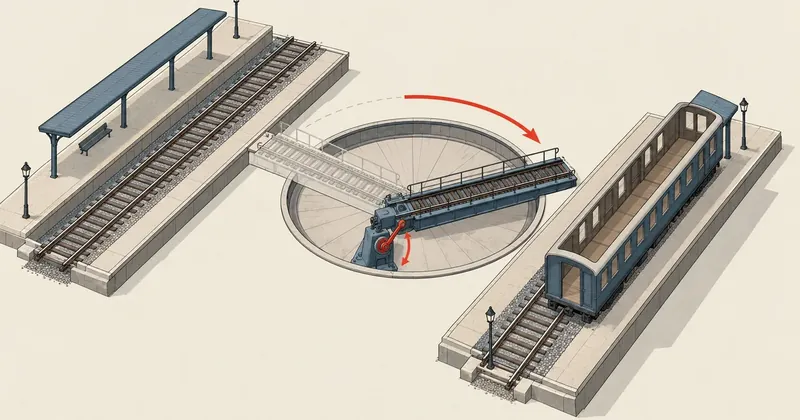
A deploy script has one line that changes everything—the line that stops the old version. Before that line, the script can fail at no cost. After it, every failure means downtime, and these failure paths almost never run until they happen for real.
1-minute summary
- Symptom / problem
- A Windows deploy script stopped the old process and then failed midway, causing three outages from three different failure paths.
- Who should read
- People writing deploy scripts that stop and start services on Windows.
- Fix in short
- Wait for the old process correctly, do not skip the build and swap in an icons-only folder, and exercise the failure paths after the stop point before they happen for real.
A deploy script I wrote took my own system down for 3 minutes 18 seconds, even though a normal deployment of this system takes just 1.9-3.8 seconds from stopping to being ready again. I fixed it and thought I was done. Then it went down again through a different failure path, and nearly went down a third time through yet another one. In all three cases, nothing was wrong with the application code itself. The fault was in the script that put it in place.
This system consists of a real-time data monitoring application I wrote in C#, which I will call the control panel, and an engine that runs as its child process. The file names, folder names, and process names in this article are made up. The timings and sequence of events are real.
The system structure and what the script has to do
The control panel is the host. It starts the engine and watches it. If the engine dies, the host starts it again. The engine holds a named mutex throughout its lifetime to prevent two engines from running at the same time. A second instance that tries to start is rejected immediately.
The deploy script has to do five things: build the new version, stop both the control panel and the engine, swap folders, start again, and restore the operating state the user had set before the restart. It sounds like a straight-line task, and on a normal day, it is.
The problem was that I had written and tested only this straight-line path. The branches that leave it midway had never run until the day they happened for real.
Incident 1: Waiting for the old process by name, starting 0.3 seconds too early
The symptom was that the new engine was rejected at startup because the mutex was still held. The old instance had not finished shutting down. The script should have waited for the old instance to exit, and it did have code to wait, but it waited the wrong way.
# รุ่นที่มีบั๊ก: รอจนกว่าจะ "ไม่เจอ process ชื่อนี้"
& $engineExe --stop
while (Get-Process -Name 'engine' -ErrorAction SilentlyContinue) {
    Start-Sleep -Milliseconds 100
}
Start-Engine          # คิดว่าตัวเก่าออกแล้ว
The old instance that was running no longer used that file name. I rename the running exe so the linker can write a new file under the original name without having to stop the program before building. The name lookup therefore did not match the process that was actually running. The script found nothing, concluded that the old instance had exited, and started the new instance 0.3 seconds too early. The new instance hit the mutex and was rejected. The old instance then shut down as instructed. The result was that no engine was running for 3 minutes 18 seconds.
Waiting by name asks the wrong question. The right question is, "Has the process I just told to stop exited?" or, "Is the resource the new instance needs available yet?" Both questions have answers that do not depend on the file name.
# รุ่นที่แก้: จด pid ของตัวที่จะหยุดไว้ก่อน แล้วรอ pid นั้น
function Stop-Engine([string]$runningExe) {
    $old = @(Get-EngineProcesses)                      # ระบุตัวจาก command line ไม่ใช่ชื่อไฟล์
    if ($old.Count -eq 0) { return }
    & $runningExe --stop
    foreach ($o in $old) {
        $p = Get-Process -Id $o.ProcessId -ErrorAction SilentlyContinue
        if ($null -ne $p -and -not $p.WaitForExit(30000)) {
            throw "เอนจิน pid $($o.ProcessId) ไม่หยุดใน 30 วินาที: ยังไม่ได้สลับอะไร"
        }
    }
}

# หรือรอจนทรัพยากรว่างจริง: mutex ที่เอนจินถือไว้ตลอดอายุ
function Test-MutexFree([string]$name) {
    $m = $null
    if ([System.Threading.Mutex]::TryOpenExisting($name, [ref]$m)) { $m.Dispose(); return $false }
    return $true
}
A name is just a label, not an identity. Another process can use the same name, the instance of interest can be renamed, and "not found" can mean either that it has exited or that the lookup was wrong. The script cannot tell those two cases apart. Wait using the pid of the instance the script told to stop, or wait until the resource the new instance needs is actually available.
Incident 2: A skip-build flag swapped in a folder containing only icons
This time, I only wanted to change the config. I did not want to wait for a full build, so I used the skip-build flag I had just added. What I had not considered was that the control panel's publish step was in the same block as the build, so it was skipped too. The panel's staging folder contained only icon files copied by another step.
The script did not check what was inside staging. It stopped the engine and swapped the folder containing only icons into place. Then the finally block I had written to restart the panel in every case could not start it, because there was no exe to launch. The system was down for 22 seconds. It was that short only because I was sitting at the machine and manually moved the files back from the .previous folder.
# รุ่นที่แก้ ส่วนเตรียม staging
if ($NoBuild) {
    # ข้าม build = เอาชุดที่กำลังรันอยู่มา stage ใหม่ทั้งชุด แล้วทับเฉพาะส่วนที่ตั้งใจเปลี่ยน
    foreach ($part in 'ui', 'engine') {
        Copy-Item -Recurse -Force (Join-Path $Root $part) (Join-Path $Stage $part)
    }
}
else {
    Build-IntoStage
}
Copy-Item -Recurse -Force (Join-Path $Repo 'configs') (Join-Path $Stage 'configs')

# ด่านที่ขาดไป: staging ต้องมีไฟล์หลักครบ ก่อนจะแตะอะไรที่รันอยู่
foreach ($f in 'ui\Ui.exe', 'engine\engine.exe', 'configs\profile.json') {
    if (-not (Test-Path (Join-Path $Stage $f))) { throw "staging ไม่มี $f : ยังไม่ได้หยุดอะไร" }
}
This incident had two layers of lessons. The first is that a flag that changes the script's path must be treated as "another script" that has to pass all the same checks. The second is that the finally block I was proud of having depended on the assumption that there was something to start, which was the very assumption that had just failed. A safety net tied to the same post that falls over catches nothing.
Incident 3: Stopping the old instance with the new exe
The engine stops when something sets a particular named event. The command is to run the engine's exe with --stop. It opens the event by name and sets it. The new engine version changed the event name by embedding a new id in it, and the script called --stop using the exe it had just built.
As a result, the new exe set the event with the new name, while the old running instance was waiting for the event with the old name. Neither heard the other. The old instance did not stop.
This time, the system did not go down because the check added after incident 1 worked correctly. The script waited the full 30 seconds for the old instance's pid, then threw without swapping anything. Everything from the old version was still running. The fix was straightforward: the running instance must be stopped using its own exe and the deployed config, not the files in staging.
# หยุดตัวที่รันอยู่ ด้วย exe และ config ชุดที่มันรันอยู่จริง
$runningExe = Join-Path $Root 'engine\engine.exe'
$runningCfg = Join-Path $Root 'configs'
if (-not (Test-Path $runningExe)) { $runningExe = Join-Path $Stage 'engine\engine.exe' }   # ติดตั้งครั้งแรก
& $runningExe --config-dir $runningCfg --stop
Event names, pipe names, port numbers, command formats—everything used to communicate with a running process belongs to that version. A new version can change all of it. The deploy script is the one place where the two versions have to meet, so it must always speak to the old version in the old version's language.
What the reviewer found: Many things can still fail after the stop point
After these three incidents, I had another agent read the script critically. It returned one HIGH finding that covered all three incidents above: after the old version is stopped, if any step fails, no engine will be left running. And at least three steps could actually fail: another process could be running from the folder being swapped, a data file could still be held open, or waiting for a process from another profile could time out.
The fix came from viewing the script as two zones with completely different rules.
The zone before the stop point Everything that can be checked in advance must be checked here, and every error message in this zone ends with "nothing has been stopped yet" so anyone reading the log immediately knows the system is still running. The new check is that, before stopping, no process other than those about to be stopped may be running from that folder. If there is one, wait in a loop instead of discovering it when the folder cannot be swapped.
function Get-ProcessesUnder([string]$dir) {
    $prefix = $dir.TrimEnd('\') + '\'
    Get-CimInstance Win32_Process | Where-Object {
        $_.ExecutablePath -and $_.ExecutablePath.StartsWith($prefix, [StringComparison]::OrdinalIgnoreCase)
    }
}

function Wait-NoForeignProcess([int[]]$toStop, [int]$timeoutSec = 120) {
    $deadline = (Get-Date).AddSeconds($timeoutSec)
    while ($true) {
        $foreign = @(Get-ProcessesUnder $Root | Where-Object { $toStop -notcontains $_.ProcessId })
        if ($foreign.Count -eq 0) { return }
        if ((Get-Date) -gt $deadline) {
            throw ("ยังมี process อื่นรันจาก $Root : " + ($foreign.Name -join ', ') + " : ยังไม่ได้หยุดอะไร")
        }
        Start-Sleep -Seconds 2
    }
}
The zone after the stop point The entire section from stop to start is inside a single try, and finally does two things regardless of what caused the failure: move the files that were swapped out back into place, then start the panel.
$started = $false
$tStop = Get-Date
try {
    Stop-Host                                              # host ก่อนเสมอ (ดูกับดักข้อ 1)
    Stop-Engine $runningExe
    if (@(Get-EngineProcesses).Count -gt 0) { throw 'ยังมีเอนจินรันอยู่หลังสั่งหยุด: ยังไม่ได้สลับอะไร' }

    if (Test-Path $Prev) { Remove-Item -Recurse -Force $Prev }
    New-Item -ItemType Directory $Prev | Out-Null
    foreach ($part in $Parts) {                            # $Parts = 'ui', 'engine', 'configs'
        if (Test-Path (Join-Path $Root $part)) { Move-Item (Join-Path $Root $part) (Join-Path $Prev $part) }
        Move-Item (Join-Path $Stage $part) (Join-Path $Root $part)
    }
    Move-Item -Force (Join-Path $Stage 'VERSION') (Join-Path $Root 'VERSION')

    Start-Host                                             # host สตาร์ตเอนจินเอง
    Assert-RunningMatchesVersion
    $started = $true
    '{0:0.0} วินาที จากหยุดถึงพร้อมใช้' -f ((Get-Date) - $tStop).TotalSeconds
}
finally {
    if (-not $started) {
        # ล้มหลังจุดหยุดด้วยเหตุใดก็ตาม: คืนทุกส่วนที่ถูกย้ายออก แล้วสตาร์ตหน้าจอ
        foreach ($part in $Parts) {
            $here = Join-Path $Root $part
            $back = Join-Path $Prev $part
            if (-not (Test-Path $here) -and (Test-Path $back)) { Move-Item $back $here }
        }
        if (Test-Path (Join-Path $Root 'ui\Ui.exe')) { Start-Host }
        else { Write-Warning "ไม่มีหน้าจอใน $Root\ui : ต้องสตาร์ตด้วยมือ" }
    }
}
This finally still has a "must start manually" branch. I am not pretending it covers every case. But the staging check in the first zone makes this branch very unlikely, and if it does happen, it says so directly instead of staying silent.
Another set of additions made at the same time
- -Plan Prints every step it will take—what it will stop, install, and start—without touching anything. I use it before the actual run whenever the script has just been changed.
- -Rollback Swaps
.previousback in through the same path as a normal deploy, passing the same checks, rather than using a separately written shortcut. - Reject a dirty working tree Only committed files may be deployed. Otherwise, the VERSION file will point to a commit that does not match the running binaries.
- VERSION file Stores the commit and the sha256 of each binary. After startup, the script calculates the sha256 of the exe the actual process is running and compares it against this file.
# ก่อน build: ของที่จะ deploy ต้องเป็นของที่ commit แล้ว
$dirty = @(git status --porcelain -- src tools configs)
if ($dirty.Count -gt 0 -and -not $AllowDirty) { throw "มีไฟล์ยังไม่ commit: ยังไม่ได้หยุดอะไร`n$($dirty -join "`n")" }

# ตอน stage: จด commit กับ sha256 ของไบนารีทุกตัว
$lines = @('commit ' + (git rev-parse HEAD).Trim())
foreach ($f in 'ui\Ui.exe', 'engine\engine.exe') {
    $lines += $f + ' ' + (Get-FileHash -Algorithm SHA256 (Join-Path $Stage $f)).Hash.ToLower()
}
$lines | Set-Content -Encoding ascii (Join-Path $Stage 'VERSION')

# หลังสตาร์ต: process ที่ขึ้นมาจริง ต้องเป็นไบนารีตัวที่จดไว้
function Assert-RunningMatchesVersion {
    $eng = @(Get-EngineProcesses) | Select-Object -First 1
    if (-not $eng) { throw 'เอนจินไม่ขึ้นหลังสตาร์ต' }
    $sha = (Get-FileHash -Algorithm SHA256 $eng.ExecutablePath).Hash.ToLower()
    if (-not (Select-String -Path (Join-Path $Root 'VERSION') -SimpleMatch $sha -Quiet)) {
        throw "เอนจินที่รันอยู่ ($($eng.ExecutablePath)) ไม่ใช่ไบนารีใน VERSION"
    }
}
Five smaller traps I found along the way
1. Stop the host before the engine The host's job is to watch the engine. If the engine is stopped first, the host sees that its child has died and faithfully does its job: it starts a new engine from the files the script is about to swap out. A watchdog that works well is the enemy of a deploy script that does not tell it first.
2. A panel that asks for confirmation on close cannot be closed by the script The control panel shows a confirmation dialog when it receives WM_CLOSE, which is right for a person, but the script cannot click the button. I therefore made the window treat WM_CLOSE with a specific wParam value as a signal to "close silently, leaving the engine running." Closing it by clicking the X has a wParam of zero, so that still shows the confirmation dialog.
private const uint WM_CLOSE = 0x0010;
private static readonly IntPtr QuietClose = new IntPtr(0x5A17C0DE);   // ค่าที่ตกลงกับสคริปต์ deploy
private bool _leaveEngineRunning;

private IntPtr OnClose(IntPtr hwnd, IntPtr wParam)
{
    if (wParam == QuietClose)
    {
        _leaveEngineRunning = true;        // ปิดหน้าจออย่างเดียว ไม่สั่งหยุดเอนจิน ไม่ถามอะไร
        DestroyWindow(hwnd);
        return IntPtr.Zero;
    }
    if (ConfirmClose()) DestroyWindow(hwnd);
    return IntPtr.Zero;
}

[DllImport("user32.dll")]
private static extern bool DestroyWindow(IntPtr hwnd);
# ฝั่งสคริปต์: ส่ง WM_CLOSE พร้อมค่าเฉพาะ แล้วรอด้วย pid ถ้าไม่ออกใน 15 วินาทีค่อยบังคับ
Add-Type -Namespace Deploy -Name Win -MemberDefinition @'
[DllImport("user32.dll")]
public static extern bool PostMessage(IntPtr hWnd, uint msg, IntPtr wParam, IntPtr lParam);
'@

function Stop-Host {
    foreach ($h in @(Get-HostProcesses)) {
        $p = Get-Process -Id $h.ProcessId -ErrorAction SilentlyContinue
        if ($null -eq $p) { continue }
        if ($p.MainWindowHandle -ne 0) {
            [void][Deploy.Win]::PostMessage($p.MainWindowHandle, 0x0010, [IntPtr]0x5A17C0DE, [IntPtr]::Zero)
        }
        if (-not $p.WaitForExit(15000)) { $p.Kill(); [void]$p.WaitForExit(5000) }
    }
}
3. Finding the repo root with a single marker The script walks up one level at a time until it finds a marker folder. This works until the deploy folder itself contains a folder with the same name. The script then mistakes the destination for the repo. It needs to check for two markers that occur together only in the actual repo.
function Find-RepoRoot([string]$from) {
    $d = Get-Item $from
    while ($null -ne $d) {
        $hasGit    = Test-Path (Join-Path $d.FullName '.git')
        $hasScript = Test-Path (Join-Path $d.FullName 'tools\deploy.ps1')
        if ($hasGit -and $hasScript) { return $d.FullName }     # ต้องมีครบสองตัว
        $d = $d.Parent
    }
    throw 'หา root ของ repo ไม่เจอ: ยังไม่ได้หยุดอะไร'
}
4. An AI tool's intermediary process locks a file The AI tool launches an intermediary program located in the same folder as the engine. As long as the tool's session remains open, that process keeps running and holds its own exe file open, so the folder cannot be moved. It has to be closed first. This is where the Wait-NoForeignProcess check above came from.
5. Deploying from an earlier worktree snapshot I deployed from a copy of the repo taken earlier. Work that someone else had just committed was not in that copy, so it disappeared from the running version for 9 minutes before someone noticed. Nothing broke. There was no error. Something that should have been there simply was not. The VERSION file recording the commit was what let me quickly answer where the running version had come from.
A script tested only on the normal path
- Wait for processes by name
- No check of staging contents
- Stop the old instance with the new exe
- Failure after stop = nothing left running
Two zones, different rules
- Wait by pid or mutex
- All checks before the stop point
- Stop using the running instance's exe and config
- finally always restores and starts the old version
I wrote separately about traps when copying files to a host, another step in deployment, in the article on files silently overwriting each other. That was web work that did not require stopping anything. This is a program that has to stop before its files can be swapped, with a stop point as a dividing line that the web work did not have.
The numbers from the three incidents
| Incident | Failure path | Result | Check that should prevent it |
|---|---|---|---|
| 1 | Waited for the old instance by a name that did not match | Down for 3 minutes 18 seconds | Wait by pid or wait for the mutex to be released |
| 2 | Skip-build flag also skipped publish | Down for 22 seconds, recovered manually | Check staging before stopping, re-stage the running version |
| 3 | Stop command used the new exe, whose event name had changed | No downtime, script rejected the deploy after 30 seconds | Stop using the running instance's exe |
The conclusion is that a deploy script's failure paths are production code just as much as the application itself, but they run hundreds of times less often and are almost never tested. All three of my incidents had the same shape: the script believed something without checking it, then learned it was false after stopping the old version. I have used two rules ever since: every check that can be done must happen before the stop point, and every exit path after the stop point must restart the old version. I also added a third rule for myself: whenever I change the deploy script, always run -Plan first. Anyone who wants to use this two-zone structure for their own service or daemon can adapt the process names and stop method as needed. If I run into a fourth failure path, I will come back and update this.
Want us to set this up?
Get help with server setup, configuration, migration, or troubleshooting. Save time for the work that matters.
Hit something like this? Stuck somewhere?
Come trade notes on the LinuxThai board


Comments 0
No comments yet — be the first